 crxbase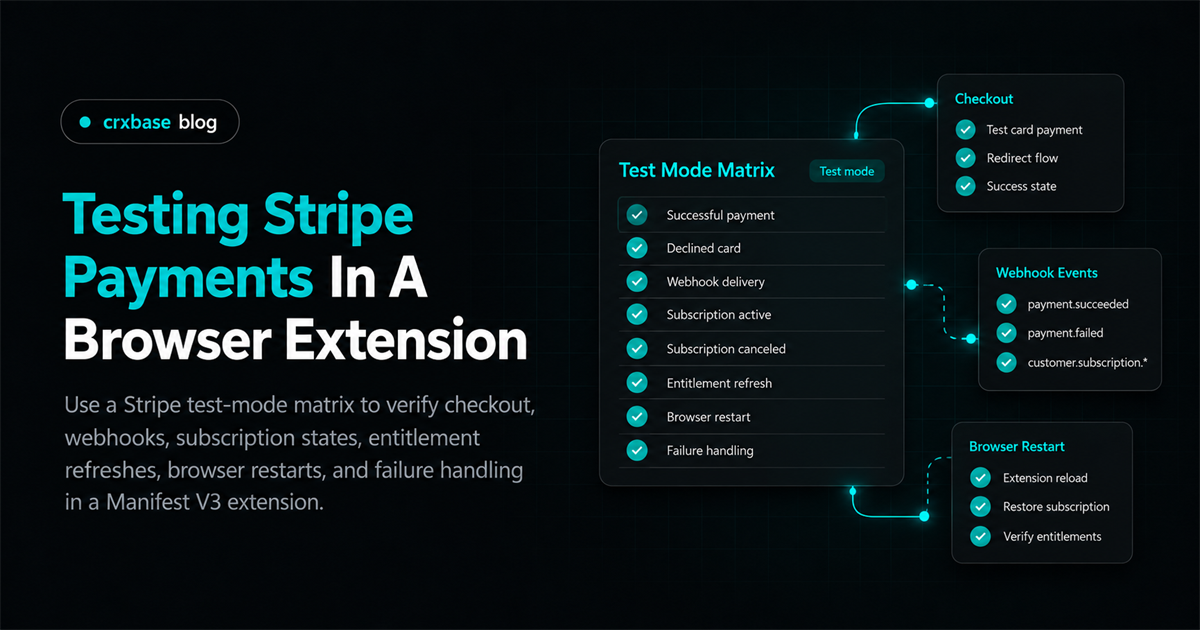
The reliable way to test Stripe payments in a browser extension is to treat billing as a state machine that crosses three systems: the MV3 extension, your backend, and Stripe. A successful click is only one state. A useful test plan also covers canceled checkout, delayed webhooks, duplicate delivery, failed renewal, account recovery, service-worker restart, and a user who finishes payment in another browser.
Start with Stripe payments browser extension architecture. The extension should request a Checkout Session from your backend, open the hosted URL, and read entitlements from an authenticated endpoint. The test suite should prove that each boundary remains safe when the happy path breaks.
TL;DR
- Keep Stripe test mode, test webhooks, and live configuration completely separate.
- Test transitions and recovery, not only a successful Checkout redirect.
- Verify the raw webhook signature and make duplicate event delivery harmless.
- Restart the MV3 service worker and use a fresh browser profile during QA.
- A paid feature should follow the server entitlement response, not a local flag.
Define the payment states before writing tests
Write the states your product can actually support. A small subscription extension may need signed_out, free, checkout_pending, active, past_due, canceled_until_period_end, expired, and unknown. The names are yours, but the transitions should be explicit.
| State | How it starts | What the extension should show |
|---|---|---|
| Signed out | No valid session | Sign in or identify the account |
| Free | Authenticated account with no paid entitlement | Upgrade action and free limits |
| Checkout pending | Backend created a session, webhook not processed | Payment is processing; refresh option |
| Active | Verified server entitlement | Paid feature enabled |
| Past due | Billing state requires your defined restriction | Clear billing action, no silent downgrade |
| Canceled until period end | Cancellation recorded but access remains | End date or plan status |
| Expired | No current access | Upgrade or restore-account action |
| Unknown | Backend unavailable or account mismatch | Safe fallback, retry, no permanent lock-in |
This vocabulary prevents a common bug: treating every response other than active as the same failure. The UI can remain simple while the backend keeps the detailed Stripe state needed for support.
Step 1: Separate test configuration
Use Stripe test mode with a test secret key, test publishable configuration where applicable, test Price IDs, and a test webhook secret. Store them in the test environment only. Do not place either secret key in the extension bundle.
Stripe's testing documentation and test cards reference describe the supported test inputs and expected outcomes. Use the documented values instead of inventing card numbers or assuming that a live payment method behaves identically in test mode.
Keep a configuration checklist:
EXTENSION_API_BASE_URL = test backend
STRIPE_SECRET_KEY      = test secret key
STRIPE_WEBHOOK_SECRET  = test endpoint secret
STRIPE_PRICE_PRO       = test recurring Price ID
TEST_ACCOUNT           = account created for automated/manual QA
Before running a test, confirm that the extension points to the test backend and that the backend points to test Stripe objects. Add a visible environment label in development builds so a tester cannot mistake test Checkout for live Checkout.
Step 2: Test Checkout creation and redirect behavior
The first smoke test checks the trust boundary. Click upgrade from the extension, confirm that the extension sends only an authenticated plan key, and inspect the backend logs for a server-created Checkout Session. The returned response should contain only the hosted URL needed by the client.
The extension may use a pattern like this, with the server enforcing the real policy:
const response = await fetch(`${API}/api/billing/checkout`, {
	method: "POST",
	headers: { "Content-Type": "application/json" },
	credentials: "include",
	body: JSON.stringify({ plan: "pro" }),
});

if (!response.ok) throw new Error("Checkout unavailable");
const { url } = await response.json();
await chrome.tabs.create({ url });
Test a valid plan, an unknown plan, a missing session, an expired login, and a backend response with an unexpected URL. The extension should show an actionable error and never unlock paid features from the redirect alone.
For the MV3-specific navigation boundary, read why Stripe Checkout does not run directly inside MV3 extensions. For the paywall surface, use the Chrome extension subscription paywall guide.
Step 3: Test webhook verification and idempotency
Use Stripe's documented local forwarding or a deployed test endpoint to deliver events to the backend. Send a valid event and verify that the entitlement record changes. Then send a request with a modified body, missing signature, wrong secret, or stale timestamp and verify that the backend rejects it.
The handler must read the raw request body before parsing JSON. It should verify the Stripe-Signature header, store the event ID before applying a durable transition, and return a response that matches the retry policy you have chosen. The Stripe webhook documentation describes signature verification and event delivery behavior.
Repeat the same event. The second delivery must not create a second entitlement, extend access twice, or send duplicate email. Deliver a subscription update before a checkout completion and verify that the handler does not blindly let an older state overwrite a newer one.
For the backend design, see Stripe webhooks for extension entitlements. Use prevent duplicate extension subscriptions for concurrent checkout and account-level guardrails once that guide is published.
Step 4: Test subscription lifecycle transitions
A subscription is a sequence, not a permanent Boolean. Test the transitions that your access policy supports:
- Checkout completes and the account becomes active after the verified event.
- The extension polls or refreshes while the event is pending.
- A renewal succeeds and the period end moves forward.
- A payment failure produces the configured restricted or grace state.
- The user cancels through the billing flow.
- The subscription ends and the next entitlement read removes paid access.
- The account signs in again and receives the same server-derived result.
Use Stripe's subscription testing guidance for supported testing tools and lifecycle techniques. If you use a test clock or another time-control feature, record the exact test setup because time-controlled behavior can differ from a real-world delivery sequence.
Test the customer portal path separately. Opening the portal in a tab does not mean the extension immediately knows what the user changed. After the user returns, refresh the entitlement endpoint and show a pending state when the backend still needs a webhook.
Step 5: Test MV3 lifecycle and browser recovery
Close the popup during Checkout. Stop and restart the service worker. Reload the extension. Clear extension storage while leaving the server account intact. Sign out, sign in as another account, and reinstall the extension. These are ordinary conditions for browser software, not unusual failure injections.
The expected rule is simple: local state may improve responsiveness, but the backend can restore the answer. A new install should not require a new payment if the authenticated account already has an active entitlement. A stale local isPaid value must be replaced when the account changes or the entitlement request returns a different result.
Use two profiles to test a payment started in one browser and a refresh in another. Also test a user who closes the Checkout tab before the redirect. The server may still receive the payment event, and the account should become active when the extension later refreshes.
Negative tests and release checklist
Run these negative tests before a release:
- Backend returns 401 while the extension is showing cached paid access.
- Backend returns a malformed entitlement response.
- Checkout creation times out after the server may have created a session.
- User clicks upgrade twice before the first response arrives.
- Webhook signature is invalid or the raw body was parsed too early.
- The same event is delivered twice.
- Events arrive in an unexpected order.
- Portal session is requested for a different account's customer ID.
- User changes account while a refresh request is in flight.
- Network disappears after checkout but before entitlement refresh.
The release build passes when secrets stay server-side, test and live IDs are separated, every entitlement transition is explicit, rejected webhooks do not mutate state, duplicate events are safe, and reinstall or device changes recover access from the account.
Build a Small, Repeatable Test Harness
Keep payment tests deterministic by separating browser actions from Stripe data setup. A useful harness has commands or fixtures for creating a test user, creating a Checkout Session, creating a real test subscription, advancing a test clock, replaying an event, and clearing the test account. The browser test should call those helpers rather than depend on whatever objects happen to be left in the Dashboard.
Give each run a correlation ID and attach it to the application user, Checkout request, webhook log, entitlement mutation, and extension refresh request. When a test fails, you should be able to answer three questions quickly: which account was used, which Stripe objects were involved, and whether the extension read before or after the webhook was processed. Avoid logging full request bodies, payment details, authorization headers, or webhook secrets.
Use explicit waits for state transitions. After returning from Checkout, poll the entitlement endpoint with a bounded timeout or expose a test-only synchronization hook in the backend. Do not use a fixed sleep and call the result proof of correctness. Event delivery and database work are asynchronous, so a test that sleeps for one second may pass locally and fail under a slower runner.
For browser automation, keep selectors tied to user-visible labels or accessible roles. Test the popup or side panel as a user would, and open the extension’s internal page only when you need to inspect storage or diagnose service-worker behavior. If the flow depends on a tab, assert its URL origin and expected page state rather than only asserting that a new tab exists.
Create a fresh test account for destructive lifecycle scenarios and reuse a stable account for smoke tests. This gives you both isolation and a fast signal. Never make a failed test “green” by manually editing an entitlement row. Repair the fixture or reset the test account so the next run starts from a known state.
Separate Test Mode From Live Release Configuration
The final test should prove configuration, not just code. Build the extension using a test backend origin and test publishable key, then inspect the packaged files. Search the package for sk_live_, whsec_, live API hosts, and development-only bypass flags. The service worker and every extension page should use the same environment contract. A build that points the popup at test mode while the service worker points at production is not safe to distribute.
Verify that the backend rejects test objects at a live endpoint and live objects at a test endpoint unless the environment explicitly supports that operation. Check that dashboard webhook destinations, CLI forwarding targets, and local tunnels are named clearly. A developer should not have to infer whether an event is safe to replay from a URL or an unlabeled terminal window.
Before release, disable test-only routes and entitlement overrides, remove verbose payload logging, and build from a clean checkout. Run the packaged extension in a profile that has no development extension installed. If the extension uses an update path, install the previous package first, then upgrade and repeat the entitlement read. This catches assumptions that only hold on first install.
Troubleshooting Common Failures
| Symptom | Likely cause | Check |
|---|---|---|
| Checkout opens but the plan is wrong | Client-selected price is trusted | Log the server-side plan mapping |
| Payment succeeds but access stays locked | Webhook is missing, rejected, or delayed | Inspect event delivery and entitlement timestamps |
| Access appears twice after a retry | Event ID or mutation is not idempotent | Replay the same event and inspect unique constraints |
| Signature verification fails locally | Parsed body or wrong endpoint secret | Verify raw bytes and the destination secret |
| Access disappears after popup reopen | State lives only in memory | Restart the worker and read from extension storage/server |
| Return page shows success offline | URL is treated as payment proof | Disable network and verify the pending state |
| Two profiles show different access | Installation is used as identity | Sign in as the same account and compare server reads |
| Renewal test takes too long | Real time is used for Billing behavior | Attach the subscription to a test clock |
The fastest diagnosis is usually to compare timestamps: Checkout completion, webhook receipt, entitlement mutation, and extension read. If the extension read happened before the webhook, a pending response may be correct. If the read happened after a successful mutation and still returned inactive, the bug is in identity mapping, cache invalidation, or the entitlement query.
Conclusion
Testing Stripe payments in a browser extension means proving that the extension, backend, and Stripe remain consistent across success, delay, retry, and recovery. Start with a state table, use documented Stripe test facilities, exercise raw webhook verification, restart MV3 contexts, and verify access from a fresh account session.
Once the matrix passes, keep it as a release checklist. Billing bugs are easier to prevent when every new plan, paywall change, webhook event, and entitlement rule adds a concrete transition test.