 crxbase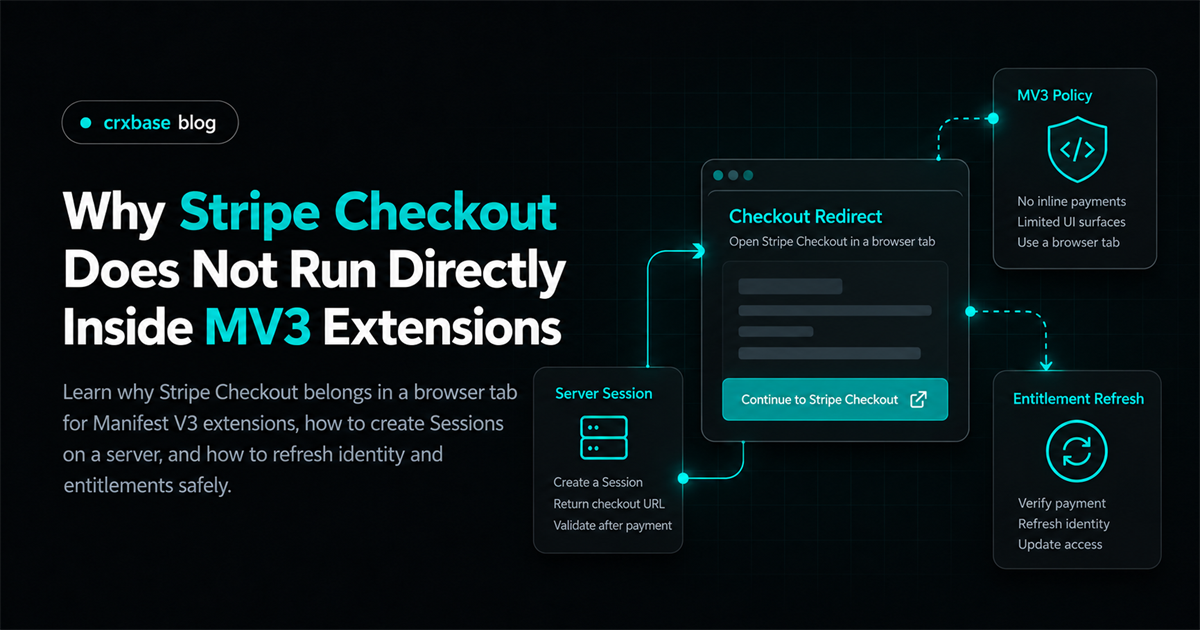
If you are building a Stripe Checkout Chrome extension MV3 flow, the important design decision is simple: let the extension start checkout, but let Stripe host the payment page in a normal browser tab. The extension should not become a secret-bearing payment server, a remote-code container, or the only place where payment completion is detected.
This separation fits both platforms. Stripe Checkout Sessions are created on your server and can redirect the customer to a Stripe-hosted page (Stripe Checkout Sessions). Chrome Manifest V3 uses event-driven extension service workers, restricts remotely hosted executable code, and gives extension pages their own chrome-extension:// origin (Chrome Manifest V3).
For the complete product picture, start with the Stripe payments browser extension guide, then see the Chrome extension subscription paywall and Stripe webhooks for entitlements. This article focuses on the boundary between the extension, your backend, Stripe Checkout, and the return flow.
TL;DR
- MV3 extension contexts are packaged, event-driven, and subject to remote-code restrictions. They are not a safe place for Stripe secret keys.
- The extension should request a Checkout URL from your authenticated backend and open it with
chrome.tabs.create.- A success page is useful for user experience, but a verified Stripe webhook should update the entitlement record.
- After checkout, the extension should re-authenticate or refresh identity and ask the backend for current access.
What Makes an MV3 Extension Different From a Website?
An MV3 extension is not one page. It is a package containing several contexts with different lifetimes and capabilities. A popup or side panel is an extension page. A content script runs alongside a website but has extension APIs through message passing. The background service worker handles events without a persistent window. An options page is another extension page with its own lifecycle.
The service worker is the central background event handler, but Chrome can load it when needed and unload it when it goes dormant. It cannot use the DOM or window, and global variables do not survive a shutdown. Chrome recommends persisting state rather than treating service-worker memory as durable state (extension service workers).
That matters for checkout. A payment flow can last longer than a popup stays open, and it can include authentication or a redirect through another site. A popup is therefore a poor place to own the transaction. It should initiate a request, close if necessary, and recover later by asking the backend for the current entitlement.
Use extension storage for local state such as an account identifier, a cache timestamp, and a small entitlement snapshot. Chrome's Storage API is available across extension contexts, while extension service workers cannot use the normal Web Storage API (Chrome Storage API). Do not confuse a local cache with authorization. A user can inspect or alter client-side data, so the backend must make the paid-access decision.
Why Should Hosted Checkout Open in a Browser Tab?
Hosted Checkout belongs in a top-level web navigation because Stripe owns the payment UI, payment-method handling, and the web redirects that may be needed during confirmation. Your extension can open the returned URL in a tab without embedding Stripe's page inside an extension surface.
The tab also gives the customer a stable place to complete a multi-step flow. A popup can disappear when focus changes. A service worker can be unloaded. A content script can be detached when the user navigates. None of those events should cancel or define the payment record.
Opening a tab does not mean the extension loses control. Your backend creates a Session with the intended Price, mode, customer association, metadata, success URL, and cancel URL. The extension receives only the hosted URL. The browser handles navigation, while your server listens for Stripe events and the extension later asks for the result.
// extension/service-worker.js
chrome.runtime.onMessage.addListener((message, sender, sendResponse) => {
	if (message.type !== "start-checkout") return;

	(async () => {
		const token = await getAuthToken();
		const response = await fetch("https://api.example.com/billing/checkout", {
			method: "POST",
			headers: { Authorization: `Bearer ${token}` },
			body: JSON.stringify({ plan: message.plan }),
		});

		if (!response.ok) throw new Error("Checkout could not be started");
		const { url } = await response.json();
		await chrome.tabs.create({ url });
		sendResponse({ ok: true });
	})().catch((error) => sendResponse({ ok: false, error: error.message }));

	return true;
});
The example deliberately accepts a plan identifier rather than a price amount. The server maps that identifier to an allowlisted Stripe Price. Never let an extension choose an arbitrary amount or Price ID without validating the account, product, currency, and business rules on the server.
This is the core Stripe Checkout Chrome extension pattern: a reviewed extension starts a controlled server request, Stripe hosts checkout, and your backend remains the payment authority.
Why Must Checkout Sessions Be Created on Your Server?
The server is the only sensible home for your Stripe secret key. An extension package is delivered to the machine using it. Even if a key is obscured, bundled, or requested only after a button click, it is not a server secret once client code can access it.
Stripe's API reference documents creating a Checkout Session with a server-side POST request. The Session can use payment, setup, or subscription mode, and hosted mode redirects the customer to a hosted page (Create a Checkout Session). Your backend should choose those parameters after authenticating the user and resolving the requested plan.
// server/routes/billing.js, illustrative Node.js handler
app.post("/billing/checkout", requireUser, async (req, res) => {
	const plan = allowlistedPlans[req.body.plan];
	if (!plan) return res.status(400).json({ error: "Unknown plan" });

	const user = req.user;
	const session = await stripe.checkout.sessions.create({
		mode: "subscription",
		line_items: [{ price: plan.stripePriceId, quantity: 1 }],
		customer: user.stripeCustomerId || undefined,
		client_reference_id: user.id,
		success_url: "https://example.com/billing/complete?session_id={CHECKOUT_SESSION_ID}",
		cancel_url: "https://example.com/billing/cancelled",
		metadata: { user_id: user.id, extension: "mv3" },
	});

	res.json({ url: session.url });
});
The client_reference_id and metadata make reconciliation easier. They are not a replacement for authentication or webhook signature verification. The server should also enforce one account per customer policy, plan eligibility, trial rules, and rate limits.
Do not send the secret key, a reusable privileged API token, or a server-side Stripe object to the extension. Return the minimum value needed to continue, normally the hosted Session URL. If your API returns an error, return a safe message and log the detailed provider error on the server.
Why Are Redirects and Callbacks Awkward in an Extension?
An extension checkout redirect crosses origins and lifecycles. Checkout starts at your API, moves to Stripe, may visit a payment-method provider, then returns to your HTTPS success or cancel page. The extension may still be installed, but its popup may be gone and its service worker may have restarted.
For hosted Checkout, use an HTTPS web page as the return destination. That page can explain that payment is being confirmed and offer a link to reopen the extension. It can also call your backend using a normal website session. The extension itself should not require the success page to execute privileged code.
Stripe explicitly warns that fulfillment cannot rely only on the Checkout landing page because a customer may pay successfully and never reach that page. Stripe recommends a webhook handler so payment events reach your server directly (custom success page and webhooks).
That produces two separate signals:
- The browser return is a user-experience signal. It tells the customer where to go next.
- The webhook is a payment-system signal. It lets the server update subscription and entitlement state even if the tab closes.
Do not mark a user paid because the extension received success=true, because a query string says paid, or because the user claims a Session ID. If the return page accepts a Session ID, your server must retrieve and validate the Session, verify that it belongs to the expected user, and still use webhook processing for durable fulfillment.
If you want the extension to observe the tab, it can use a narrow tab update listener or simply refresh after the user clicks “I finished checkout.” The second approach is often enough and avoids building a fragile redirect detector. For a testing workflow, use the exact test Stripe payments in an extension when that spoke is available.
Why Can’t MV3 Load Stripe’s Remote JavaScript Into Extension Pages?
Manifest V3 draws a boundary around executable extension code. Chrome says MV3 extensions must bundle the code they execute in the extension package. Chrome Web Store guidance specifically calls out JavaScript pulled from a developer server, CDN-hosted libraries, and libraries that dynamically fetch remote code (improve extension security).
This does not prevent an extension from calling your remote API. A remote service can provide data or make a server-side decision. It does mean you should not solve checkout by injecting a remote Stripe script into a popup, loading a hosted payment library as extension code, or fetching JavaScript and executing it.
MV3's extension-pages Content Security Policy also restricts script sources that would enable remote code execution. The policy is a safety boundary, not a configuration inconvenience. Keep extension behavior in reviewed, packaged files. Keep payment orchestration and secrets on your backend. Keep the payment UI on Stripe's hosted web origin.
This separation is cleaner than trying to turn an extension page into a miniature website. The extension can use fetch to communicate with an allowlisted HTTPS API, subject to the permissions and CORS configuration your integration requires. The API can return JSON such as { "active": true, "plan": "pro" }, never executable code.
How Should Identity Work Across the Extension and Checkout?
Payment is attached to a customer or account, not to an arbitrary browser installation. Before creating checkout, your backend needs a stable application identity. That might be an account created through your website, an OAuth identity, or an email-based account flow with appropriate verification.
The extension should obtain an application token through a supported sign-in flow and store only the token material your threat model permits. Chrome's identity API can obtain OAuth 2.0 access tokens, but it does not automatically create your Stripe customer relationship (Chrome identity API overview). Your backend still maps the authenticated application user to Stripe's Customer and subscription records.
Do not use the Chrome extension ID as the user's billing identity. An extension ID identifies an installation or package origin, not a person or business account. It also does not solve multi-device access, account switching, refunds, or subscription transfer.
When checkout completes, the extension can refresh the authenticated user's entitlement:
async function refreshEntitlement() {
	const token = await getAuthToken();
	const response = await fetch("https://api.example.com/me/entitlement", {
		headers: { Authorization: `Bearer ${token}` },
	});
	if (!response.ok) throw new Error("Entitlement refresh failed");

	const entitlement = await response.json();
	await chrome.storage.local.set({ entitlement, checkedAt: Date.now() });
	return entitlement;
}
If the user opens the extension on another device, the same account can receive the same server-side decision. If the user signs out, clear cached identity and entitlement together. If the account changes, do not let the previous account's paid snapshot unlock the new account.
How Do Webhooks Become Extension Entitlements?
Your webhook endpoint should verify Stripe's signature using the endpoint secret, parse the event, and update your own billing tables idempotently. A minimal record might contain your user ID, Stripe Customer ID, subscription ID, plan, status, current-period end, cancel-at-period-end flag, and the time of the last accepted event.
app.post("/stripe/webhook", express.raw({ type: "application/json" }), (req, res) => {
	let event;
	try {
		event = stripe.webhooks.constructEvent(req.body, req.headers["stripe-signature"], process.env.STRIPE_WEBHOOK_SECRET);
	} catch {
		return res.sendStatus(400);
	}

	if (event.type === "checkout.session.completed") {
		const session = event.data.object;
		queueEntitlementSync({
			userId: session.metadata.user_id,
			customerId: session.customer,
			sessionId: session.id,
		});
	}

	res.sendStatus(200);
});
The production handler should cover the subscription lifecycle relevant to your product, including successful checkout, renewals, payment failures, cancellations, and refunds. The exact event set depends on whether you sell one-time access or recurring plans. The important rule is that the entitlement table is updated from verified Stripe events, not from a client redirect.
Make event handling idempotent. Stripe can retry webhook delivery, and your handler should safely process the same event more than once. Store processed event IDs or use a database update that is safe to repeat. If events can arrive out of order, compare event timestamps or fetch the current Stripe object before applying a state transition.
The extension's entitlement endpoint should return a narrow policy result. It does not need to expose invoice details, raw payment methods, or every Stripe field. A response such as this is enough for most feature gates:
{
	"active": true,
	"plan": "pro",
	"features": ["export", "batch_actions"],
	"validUntil": "2026-10-15T00:00:00.000Z"
}
Treat validUntil as a refresh hint, not a client-authorized expiry override. Your backend should decide whether a request is currently allowed. The extension uses the cached value to render quickly, then refreshes at sign-in, after checkout return, when opening a gated feature, and on a sensible periodic cadence.
What Does the Safe End-to-End Architecture Look Like?
The complete flow has four trust zones:
MV3 popup or side panel
        |
        | authenticated HTTPS request: choose plan
        v
Your backend --------------------> Stripe API
        |                              |
        | Checkout URL                 | hosted payment page
        v                              v
chrome.tabs.create()              browser tab
        ^                              |
        | refresh entitlement          | HTTPS success/cancel page
        +------------------------------+
                       ^
                       |
             verified Stripe webhook
                       |
                 entitlement database
In sequence:
- The extension signs in or restores an application session.
- The user selects a plan in the extension.
- The service worker calls your backend with the plan key.
- The backend authenticates the user, selects the allowlisted Price, creates a hosted Checkout Session, and returns its URL.
- The extension opens the URL in a new tab.
- Stripe processes payment and redirects the browser to your HTTPS return page when appropriate.
- Stripe sends an event to your verified webhook endpoint.
- Your backend updates the user's subscription and entitlement.
- The extension refreshes entitlement and unlocks the feature only after the backend response says it is active.
For a one-time purchase, the record may be simpler. For subscriptions, model renewal and revocation explicitly. A user can close a tab, lose connectivity, change plans, fail a renewal, request a refund, or sign in on a second machine. The architecture should remain correct across each case without requiring an extension update.
Common MV3 Stripe Checkout Mistakes
Putting the secret key in manifest.json
This fails the security model immediately. A manifest and its JavaScript are client-delivered assets. Put secret credentials in server environment configuration and expose only authenticated, narrowly scoped endpoints to the extension.
Creating a Session from the popup with arbitrary values
The popup should send a product intent such as pro_monthly. The server should resolve the Price and all payment parameters. Otherwise a modified client can request an unintended product or amount.
Treating the success page as the webhook
A success page is not guaranteed to load. Use the return page for messaging and the webhook for fulfillment, as Stripe explains in its fulfillment guide.
Embedding hosted Checkout in an iframe by default
An embedded integration has different requirements and is not a shortcut around MV3 boundaries. If you need an embedded web checkout, build it as a normal website integration with the appropriate Stripe UI mode and return behavior. For a Chrome extension paywall, a hosted page in a tab is usually the smallest reliable design.
Loading Stripe JavaScript from a CDN inside the extension
MV3 remote-code restrictions make this the wrong integration boundary. Bundle the extension's own logic, call your API for data, and let Stripe-hosted Checkout run on its web origin.
Storing “paid” as a permanent local boolean
Local storage can be cleared, edited, stale, or associated with the wrong signed-in account. Cache entitlement for responsiveness, but refresh it and enforce access on the backend where the operation has server-side value.
Assuming the service worker stays alive
It will not. Persist the state needed to recover. Make requests and listeners resilient to restart, and let a later extension event trigger a fresh entitlement check.
Frequently Asked Questions
Can a Chrome extension open Stripe Checkout?
Yes. The extension can request a hosted Checkout URL from your backend and open it in a browser tab. Stripe documents hosted Checkout as a page customers are redirected to, while your server creates the Session.
Can I put Stripe.js in an MV3 popup?
Do not load it as remotely hosted extension code. Chrome's MV3 security guidance requires executable extension logic to be packaged. A normal website can use the Stripe integration appropriate to that website, while the extension can open hosted Checkout.
Can I redirect to a chrome-extension:// success URL?
Do not make that origin the only completion path. Use an HTTPS return page and a server webhook, then have the extension refresh its authenticated entitlement. This survives a closed popup, a restarted service worker, and a browser redirect that never returns to the extension.
How quickly should entitlement refresh happen?
Refresh after sign-in, after the user returns from checkout, when a gated action is attempted, and when the cache is stale according to your product's needs. Do not assume a browser callback is synchronized with webhook processing. Show a short “payment is being confirmed” state and retry the backend check.
Is a Stripe publishable key safe in an extension?
A publishable key is not the same as a secret key, but using one does not make a client-controlled payment flow authoritative. The extension still needs server-side product selection, identity mapping, webhook processing, and entitlement enforcement. Keep the architecture server-led.
A safe implementation checklist
Before shipping a Manifest V3 Stripe Checkout flow, review it in this order:
- Identity: Can the backend identify the account without trusting an email, extension ID, or client-provided user ID?
- Catalog: Does the server map a small plan key to a known Stripe Price and billing mode?
- Secrets: Are the Stripe secret key and webhook signing secret absent from the extension package, source map, logs, and client responses?
- Navigation: Does a deliberate user action open hosted Checkout in a browser tab, with HTTPS return pages on a domain you control?
- Events: Does the webhook endpoint verify signatures, store event IDs, and apply idempotent entitlement transitions?
- Refresh: Does the extension fetch current access after sign-in, after checkout return, at startup, and before a paid action when the cache is stale?
- Recovery: Does the flow behave sensibly if the popup closes, the service worker restarts, the webhook is delayed, the user reinstalls, or the subscription changes?
This checklist catches the expensive category error: confusing a client-visible event with a trusted billing fact. A tab opening proves that navigation worked. A success page proves that Stripe sent the browser to your return page. Neither proves that your product should grant access. Only your server's verified, policy-aware entitlement decision should do that.
Keep billing UI honest
A technically safe flow can still confuse users if the listing, paywall, Checkout page, and success page disagree. State whether the plan is recurring, what feature becomes available, where the customer manages billing, and what happens if renewal fails. Make the signed-in account visible before payment when possible. If the customer paid under a different account, provide an account-switch or support path rather than silently activating the current browser profile.
The extension should distinguish “You are signed out,” “Payment is being confirmed,” “Your plan is active,” and “Your plan needs attention.” They represent different server states. A single generic payment error hides whether the problem is identity, navigation, webhook delay, or subscription status.
Conclusion
Stripe Checkout does not run directly inside MV3 extensions for a useful architectural reason: the extension is a distributed, reviewed client with ephemeral contexts, while payment creation and fulfillment need a durable server authority. Open Stripe's hosted Checkout in a tab, create Sessions on your backend, use an HTTPS return page for customer messaging, and use verified webhooks to update entitlements.
The extension then has one job: authenticate the user, start checkout, persist enough local state to recover, and refresh access from your API. That boundary keeps secret keys out of the package, keeps remote executable code out of extension pages, and makes subscription changes visible without shipping a new extension version. Continue with the subscription paywall guide, then use the extension payment testing guide to validate the full flow.