crxbase crxbase
# Features# How it works# Pricing
Docs
Login

The Easiest way to
Monetize Your Extension

crxbase handles subscriptions, lifetime purchases, trials, hosted payment pages, and access checks so you can focus on building your extension.

No need to build your own backend!

Get Started Read the Docs
// npm install @crxbase/payments
import { Show } from "@crxbase/payments/react";

<Show when="signed-out">
    <LoginButton />
</Show>

<Show when="paid" fallback={<SubscribeButton />}>
    <h1>Paid Features Enabled!</h1>
</Show>
ChromeFirefoxEdgeSafari
# How it works

Go from free to paid in minutes

No custom billing backend, no subscription database, no webhook maze.

1. Define your pricing

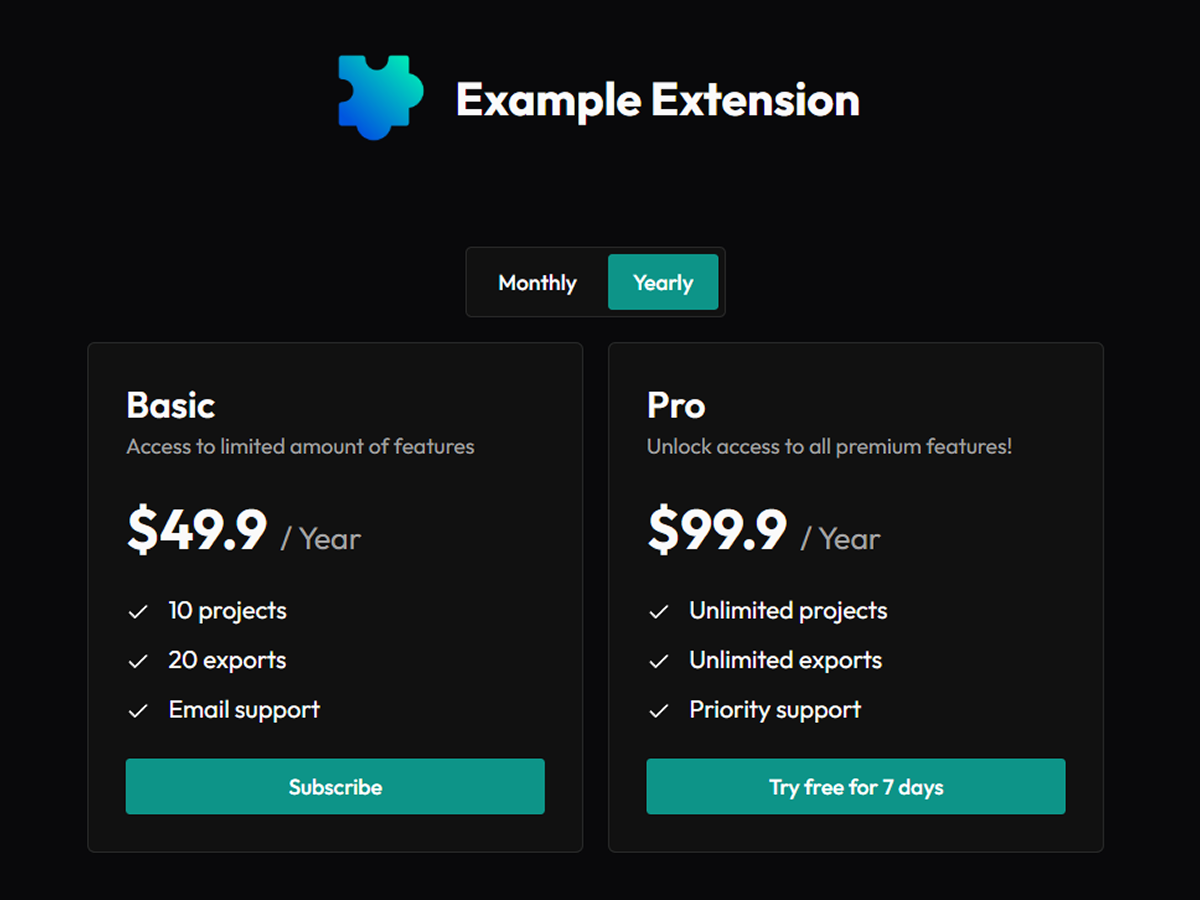
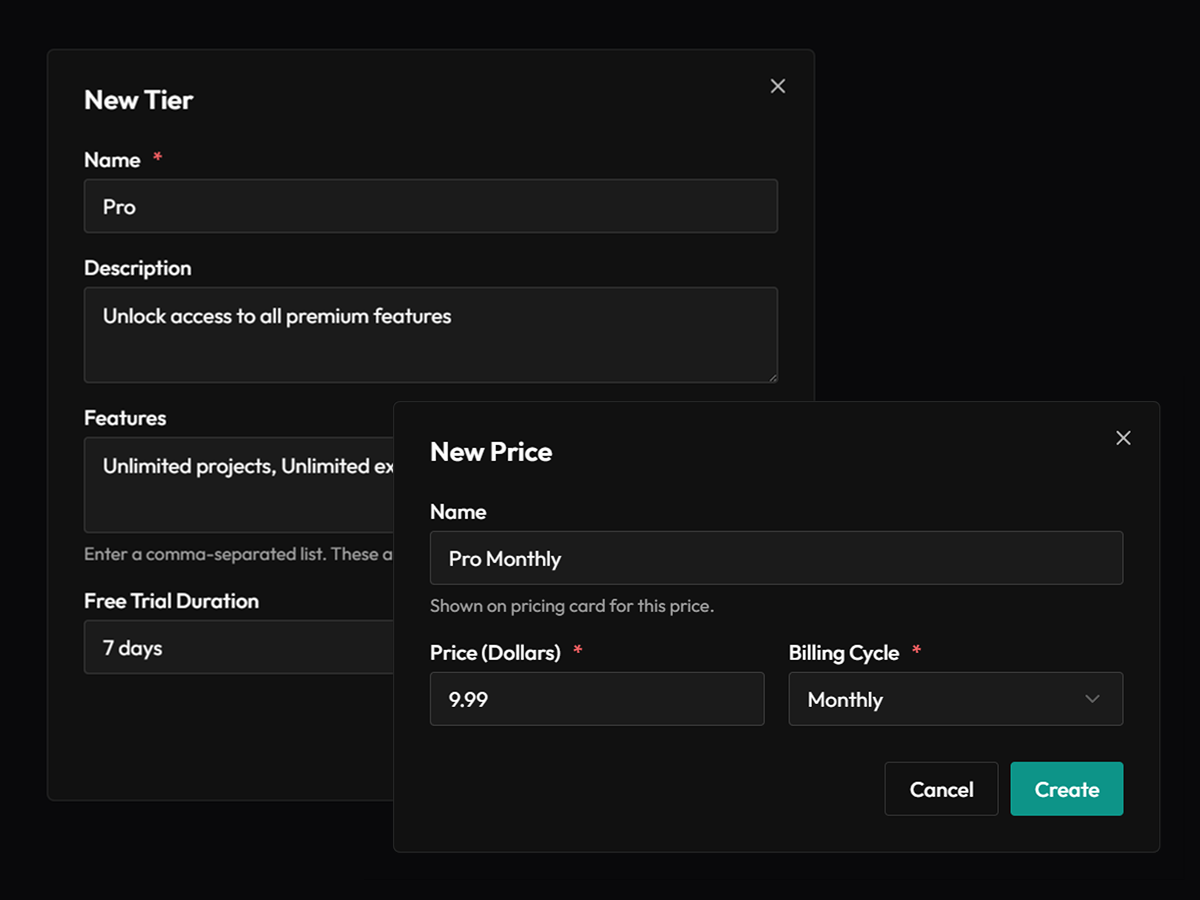
Add your tiers, features, and optional free trials with monthly, yearly, or lifetime offers.

2. Add the SDK

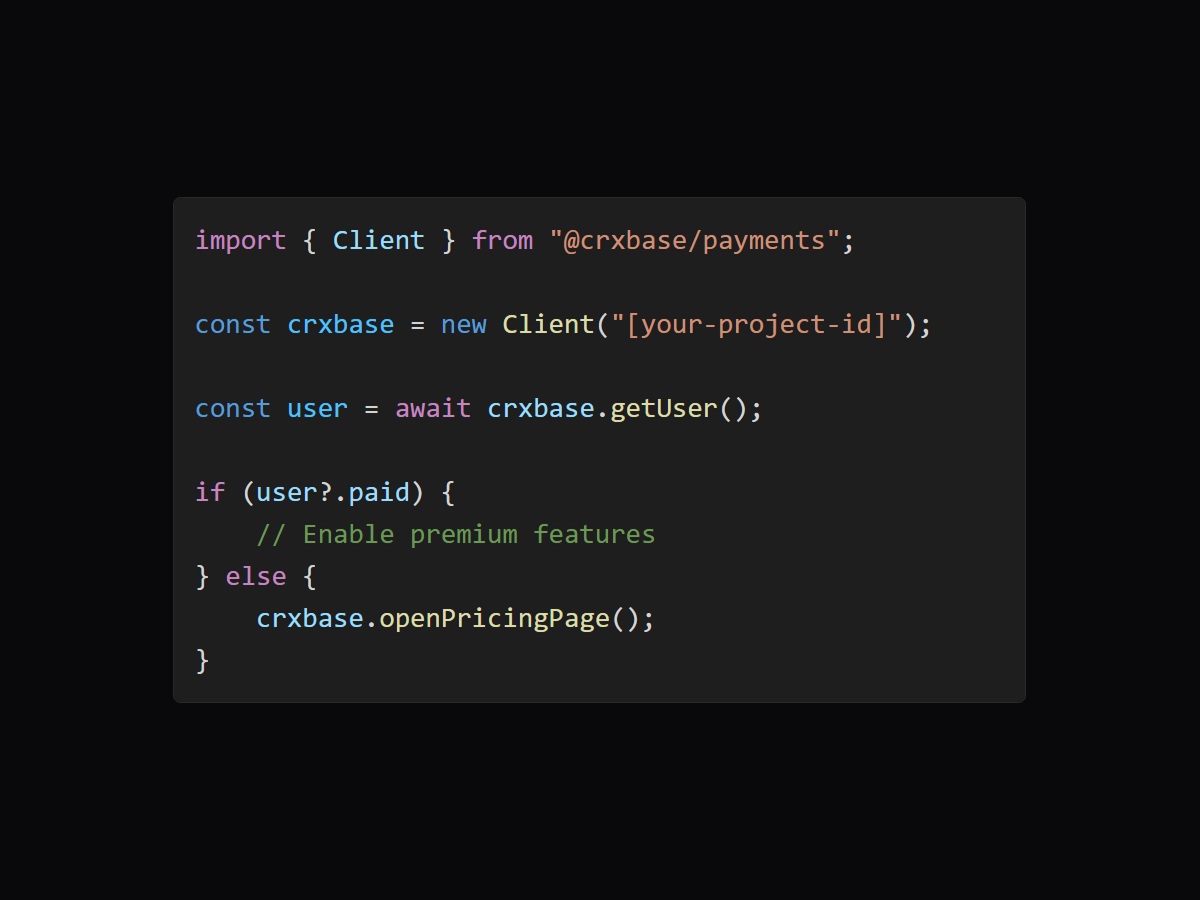
Check paid access in your extension to unlock premium features or open pricing page for non paying users.

3. Open your pricing page

Let users compare plans, switch billing cycles, start a trial or subscribe using crxbase's hosted pricing page.

4. Take payments with Stripe

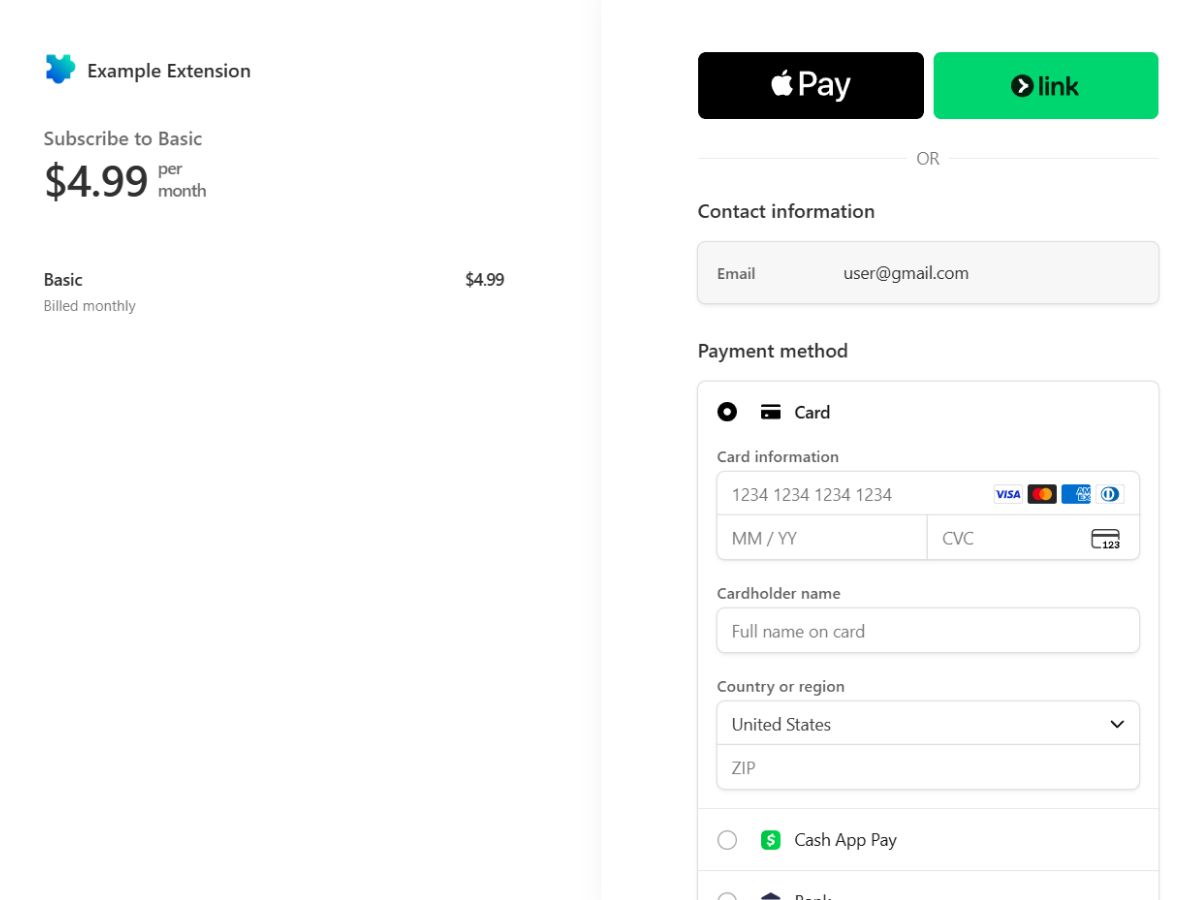
Users pay using Stripe Checkout and crxbase updates the user's access after the purchase.

5. Measure your growth

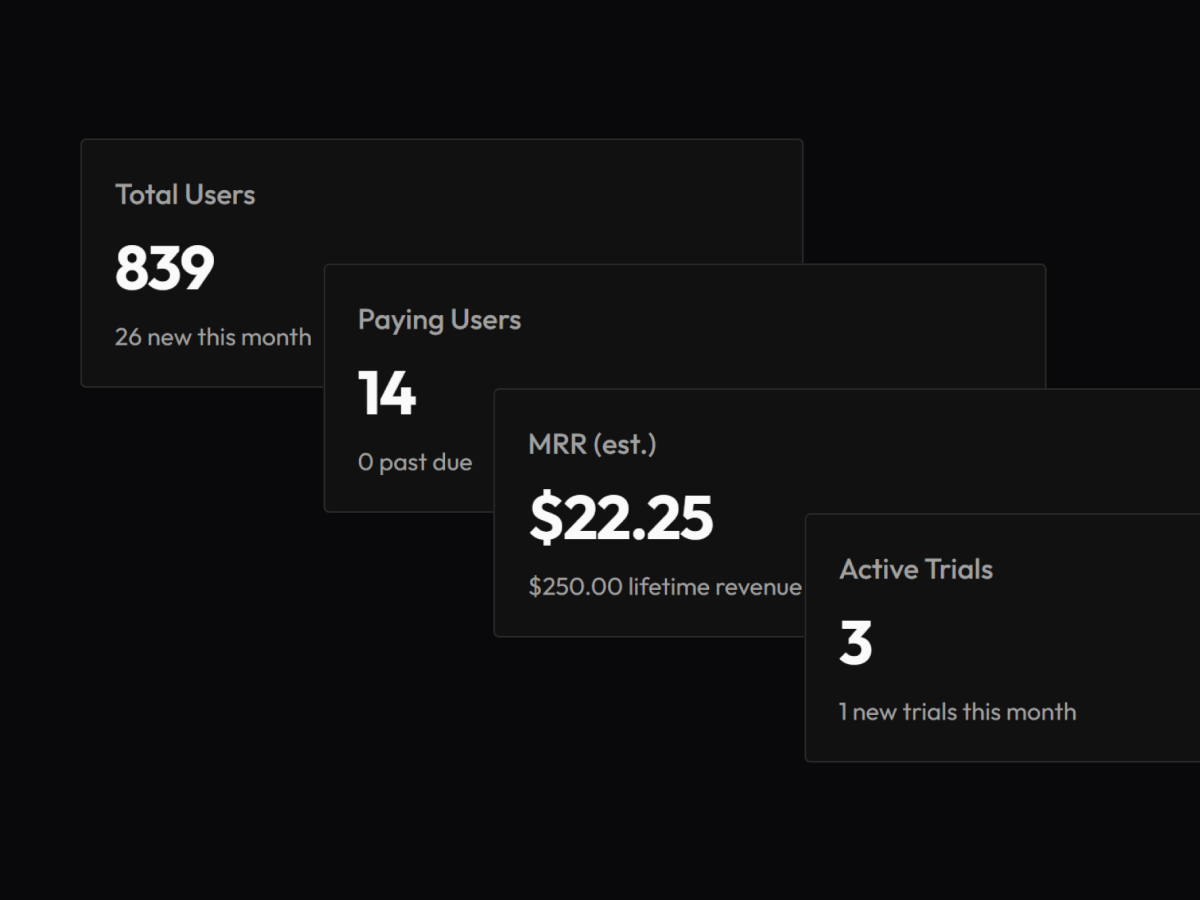
View MRR, total users, paying customers, active trials, and lifetime revenue from your dashboard.
1. Define your pricing2. Add the SDK3. Open your pricing page4. Take payments with Stripe5. Measure your growth
# Features

Everything paid extensions need

Launch the billing pieces most extension developers end up rebuilding from scratch.

Lifetime Purchases
Sell one-time access for premium features without wiring up your own checkout, webhooks, or entitlement logic.
Subscriptions
Offer monthly or yearly plans and let crxbase keep access in sync as customers upgrade, cancel, or renew.
Single Active Subscription
Prevent users from repurchasing or stacking active subscriptions across plans.
Multiple Plans
Create Starter, Pro, and Team tiers so users can pay for the level of access that fits them.
Free Trials
Let users try paid features before they commit, then move them into a plan when the trial ends.
Hosted Customer Pages
Give users a ready-made place to sign in, choose a plan, pay, and manage their subscription.
SDK Access Checks
Add the SDK to your extension and check whether a user can access a paid feature in a few lines.
Stripe Powered
Use Stripe for secure payments while crxbase handles the extension-specific billing layer.
Browser Ready
Use the same billing flow across Chrome, Firefox, Edge, Safari, and other extension environments.
# Pricing

Simple pricing while you grow

Start free, then pay a small fee when your extension earns revenue.

Free
For developers launching paid extensions
$0/ month
5% per transaction
Unlimited users
Unlimited extensions
Email support
crxbase.com URLs
Standard login and subscription pages
Start Free
Pro
For teams that need more control
$19.9/ month
Lower transaction fee
Unlimited users
Unlimited extensions
Priority support
Custom domain
Custom login and subscription pages
# FAQs

Questions extension developers ask

The short version: bring your extension and Stripe account, crxbase handles the billing layer between them.

crxbaseMonetize Browser Extensions
BlogExtPay AlternativePrivacyTermsDocs GitHub Contact