 crxbase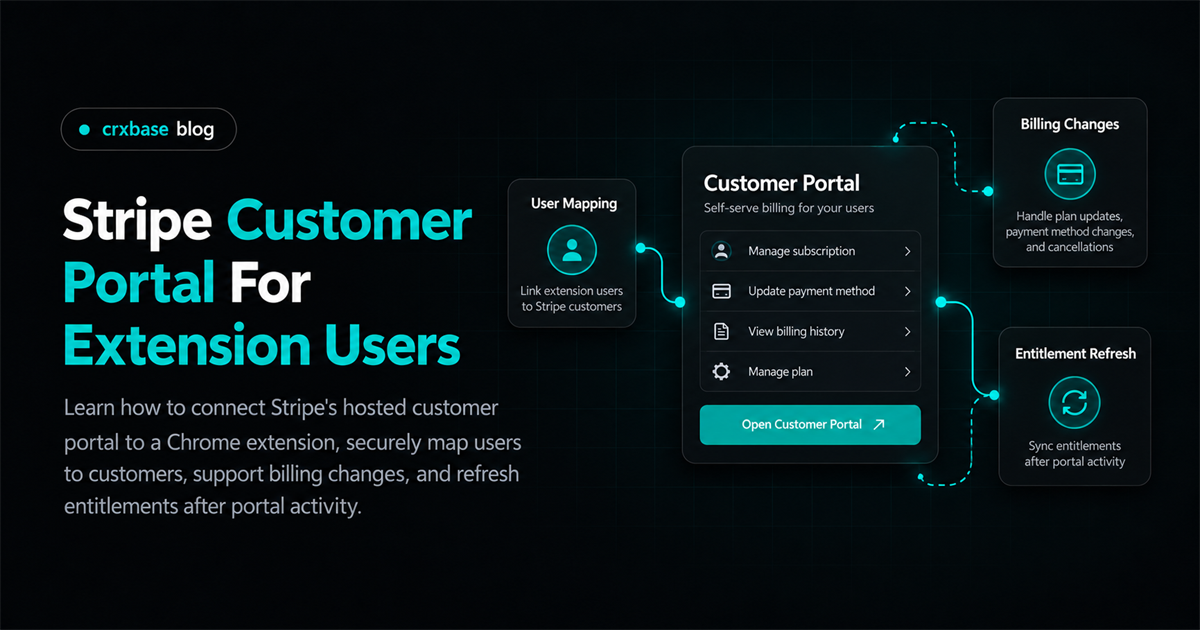
Giving extension customers a reliable billing account page is mostly a server-side identity problem. A Chrome extension should not hold your Stripe secret key, guess a customer from an email address, or reuse a portal URL. Instead, the signed-in extension user asks your backend for a new Stripe Customer Portal session. The backend verifies the user, looks up the Stripe customer that belongs to that account, creates the hosted session, and returns its temporary URL.
This approach gives users a practical way to manage a subscription in a Chrome extension while keeping payment details on Stripe-hosted pages. It also gives your application a clean boundary: Stripe handles the billing interaction, your webhook endpoint observes the resulting changes, and your entitlement service decides what the extension can unlock. If you are designing the wider payment flow first, start with the Stripe payments browser extension guide, then use this article for the customer self-service portion.
TL;DR
- Create a new Stripe Billing customer portal session on demand from an authenticated server request.
- Map your internal user ID to a stored Stripe customer ID. Never select a customer solely from untrusted extension input.
- Configure cancellation, plan changes, payment methods, invoices, and customer updates in Stripe, then reflect completed changes through webhooks.
- Refresh extension entitlements after portal activity, with a polling or refetch path for eventual consistency.
- Design recovery around the account identity, not a device, browser profile, or cached portal URL.
Before You Begin
You will need:
- A Stripe account with Billing products and prices configured.
- A server that can use the Stripe secret key and receive verified webhook events.
- An authenticated account system for extension users.
- A database record that stores the relationship between your user and Stripe customer.
- A browser-extension flow that can open an HTTPS URL in a tab.
- Familiarity with HTTP endpoints, JSON, and asynchronous event handling.
The examples use Node.js-style JavaScript and the Stripe server SDK pattern. Adapt the syntax to your backend, but keep the secret-key operations on the server. Stripe's customer portal integration guide describes the same server-created session flow.
Step 1: Map the Authenticated User to a Stripe Customer
By the end of this step, every signed-in extension account that can pay has one authoritative Stripe customer association. This is the foundation for a safe Stripe billing portal extension because the portal session is created for a specific Stripe customer.
Create the customer during checkout or account provisioning, then store its ID with the internal user record:
users
  id
  email

billing_accounts
  user_id             unique
  stripe_customer_id  unique
When the extension requests billing access, derive userId from the authenticated session or token. Do not accept stripeCustomerId from the request body or select a customer solely from an extension-supplied email address.
const user = await requireAuthenticatedUser(request);
const billing = await db.billingAccount.findUnique({
	where: { userId: user.id },
});

if (!billing?.stripeCustomerId) {
	return response.status(404).json({ error: "No billing account" });
}
Verify that the stored customer belongs to the Stripe account or connected-account context in which you create the session. A misplaced ID can expose the wrong invoices or produce a confusing empty portal.
For the broader question of making a user eligible for only one active purchase path, see prevent duplicate extension subscriptions.
Step 2: Create a Portal Session on the Server
By the end of this step, the extension can ask your backend for a fresh hosted URL without receiving access to Stripe credentials. Stripe defines a portal session as an instantiation of the portal for a particular customer. Its URL is short-lived, so create it when the user chooses “Manage billing.”
Expose a POST endpoint such as /api/billing/portal. Authenticate the request before calling Stripe, resolve the customer ID from your database, and set a return URL that brings the user back to a useful extension web page or account route.
import Stripe from "stripe";

const stripe = new Stripe(process.env.STRIPE_SECRET_KEY);

export async function createPortalSession(request, response) {
	const user = await requireAuthenticatedUser(request);
	const billing = await db.billingAccount.findUnique({
		where: { userId: user.id },
	});

	if (!billing?.stripeCustomerId) {
		return response.status(404).json({ error: "No billing account" });
	}

	const session = await stripe.billingPortal.sessions.create({
		customer: billing.stripeCustomerId,
		return_url: "https://crxbase.com/account/billing-return",
	});

	return response.json({ url: session.url });
}
Return only the URL and small client state. Do not persist the URL for reuse or log it unnecessarily. Stripe describes it as short-lived and recommends creating sessions on demand (Stripe Customer Portal Session API).
On the extension side, fetch the endpoint and open the result in a new tab:
const result = await fetch(`${API_ORIGIN}/api/billing/portal`, {
	method: "POST",
	credentials: "include",
});

if (!result.ok) throw new Error("Unable to open billing");
const { url } = await result.json();
await chrome.tabs.create({ url });
The backend must validate that the returned value is the URL it generated. A client should not be able to turn this endpoint into an open redirect or ask for arbitrary Stripe resources.
Step 3: Configure Portal Actions for Your Product
By the end of this step, the hosted portal exposes only the billing operations your product can support. Configure the portal in Stripe's Dashboard or with a portal configuration, then test it with sandbox customers.
Choose actions deliberately:
- Enable payment-method updates if customers should replace an expired or declined card.
- Enable invoice history if customers need receipts or billing records.
- Enable subscription cancellation and choose whether cancellation occurs immediately or at the period end.
- Enable subscription updates only for products and prices your entitlement model understands.
- Decide whether plan or quantity changes are prorated, scheduled, or applied immediately.
- Enable customer updates only for fields your support and tax workflows can safely accept.
Stripe's configuration API supports cancellation, cancellation reasons, subscription updates, allowed prices, payment methods, invoice history, and customer updates (portal configuration reference). Dashboard settings are often enough for one product. Use explicit configurations when customer groups need different actions.
Cancellation and Plan Changes
An immediate cancellation can end access according to the subscription state you process. An end-of-period cancellation is different: the subscription remains usable until the period ends, and Stripe can send an update when the cancellation is scheduled. Treat cancel_at_period_end as a meaningful state in your entitlement calculation rather than revoking access as soon as a user clicks Cancel.
For plan changes, map every allowed Stripe price ID to extension capabilities. If you allow quantities for seats or devices, make quantity part of the entitlement input.
If your platform has multiple merchants or connected accounts, resolve the correct ownership context before creating the session. Read Stripe versus merchant of record before deciding who owns the customer relationship, tax responsibilities, and support obligation.
Step 4: Refresh Entitlements After Portal Activity
By the end of this step, a successful portal action changes extension access through verified billing state, not through a browser redirect. Returning from Stripe is only a navigation event. It does not prove that a payment succeeded, a plan change was applied, or a cancellation became effective.
Listen for the Stripe events relevant to your model. Common subscription events include customer.subscription.updated for plan, quantity, status, or cancellation-scheduling changes; customer.subscription.deleted when a subscription ends; invoice.paid for successful invoice payment; and invoice.payment_failed for payment failures. Stripe also documents entitlements.active_entitlement_summary.updated for integrations that use Stripe Entitlements (subscription webhook events).
const event = stripe.webhooks.constructEvent(request.rawBody, request.headers["stripe-signature"], process.env.STRIPE_WEBHOOK_SECRET);

switch (event.type) {
	case "customer.subscription.updated":
	case "customer.subscription.deleted":
	case "invoice.paid":
	case "invoice.payment_failed":
		await enqueueBillingReconciliation(event);
		break;
}

return response.json({ received: true });
Use the raw request body for signature verification, make processing idempotent, and persist event identity to avoid applying the same delivery twice. Reconciliation can retrieve current Stripe state, translate price and status into your entitlement record, and notify connected devices through your normal sync channel.
After the user returns, the extension can request current entitlements once. If the webhook has not been processed yet, show a short “updating your plan” state and retry with a bounded backoff. Do not grant a higher tier based only on the portal return route.
For a focused webhook implementation, use Stripe webhook entitlement handling.
Step 5: Support Multi-Device Recovery
By the end of this step, a user who signs in on a second browser or computer can recover billing access without copying a portal link from the first device. The account is the recovery key; the extension installation is only a client.
On every authenticated device, load the same server-side billing account and entitlement summary:
- Confirm the user is signed in.
- Request a new portal session from the server.
- Open the fresh URL in a tab.
- On return, refetch entitlements and display the current state.
If the user cannot sign in, route them to account recovery or support. Local storage may remember UI state, but it should not determine ownership or access.
For a platform that sells on behalf of multiple businesses, the recovery flow must also preserve the merchant or connected-account relationship. See platform payment architecture when that ownership model is part of the product.
Step 6: Add Safety Checks and Support Paths
By the end of this step, billing actions fail safely and users have a clear next step when a session, webhook, or entitlement refresh does not complete.
Use this production checklist:
- Require authentication before every portal-session creation.
- Look up the Stripe customer server-side from the authenticated account.
- Keep the Stripe secret key and webhook secret out of extension code.
- Allow only HTTPS return URLs that you control.
- Create sessions on demand and handle expired URLs by requesting a new one.
- Verify Stripe webhook signatures before processing events.
- Make webhook handlers idempotent and tolerate out-of-order delivery.
- Treat payment failure, incomplete status, scheduled cancellation, and ended subscriptions as distinct states.
- Log correlation IDs, Stripe customer IDs, subscription IDs, and event IDs without logging payment secrets or portal URLs unnecessarily.
- Give support staff a way to identify the internal account and corresponding Stripe customer.
When billing changed but access did not, check the chain in order: authenticated account, customer mapping, event delivery, webhook verification, reconciliation, and entitlement fetch. Support should identify whether the change is pending, effective at period end, blocked by payment, or already reflected elsewhere.
Common Mistakes to Avoid
Creating sessions in the extension. A browser extension is not a safe place for a Stripe secret key. Keep session creation on your server and return only the hosted URL.
Trusting a customer ID from the client. The client can be modified. Resolve the customer from the authenticated account and reject missing or inconsistent billing records.
Treating the return URL as a webhook. A user can leave the portal, close the tab, or return before asynchronous processing finishes. Use verified Stripe events for billing state.
Offering prices your entitlement code cannot interpret. Every portal-allowed price should have a known mapping to features, limits, and effective timing. Otherwise a valid Stripe change can create an undefined access state.
Caching a portal URL across devices. Portal URLs expire. Store the customer relationship, not the session link, and create a new session whenever the user starts a billing action.
What Success Looks Like
If the integration is working, an authenticated extension user can choose Manage billing, open a Stripe-hosted page in a new tab, update an allowed billing setting, and return to your product without exposing payment credentials to the extension. A plan change or cancellation then appears in your database after webhook processing, and the entitlement endpoint returns the corresponding access state on every signed-in device.
The useful stretch goal is dependable reconciliation that can refetch Stripe state, safely replay events, and explain pending changes.
Frequently Asked Questions
Should the portal open inside the extension popup?
Usually, open the hosted HTTPS URL in a browser tab. Popups are short-lived UI surfaces, while Stripe's hosted page is an external session that users may need to complete. A tab also gives your return route a stable place to send the user.
Can the extension know immediately that a cancellation worked?
It can know that Stripe returned the customer to your configured route, but that is not the same as confirming every downstream entitlement update. Refetch your server state and let verified webhook processing determine whether access remains active until period end or has ended.
What if the portal says the customer has no subscription?
Check that the authenticated user resolved to the expected Stripe customer and that the request used the correct account context. For Connect integrations, also check the connected-account ownership and the on_behalf_of behavior relevant to your setup.
Conclusion
A Stripe customer portal Chrome extension integration needs only a small client surface, but it depends on disciplined server-side identity and entitlement handling. Store the user-to-customer mapping, create short-lived sessions on demand, configure only supported actions, and let signed Stripe webhooks drive access changes. With those boundaries in place, customers can manage a subscription from any signed-in device while your extension remains safer, easier to support, and easier to evolve.