 crxbase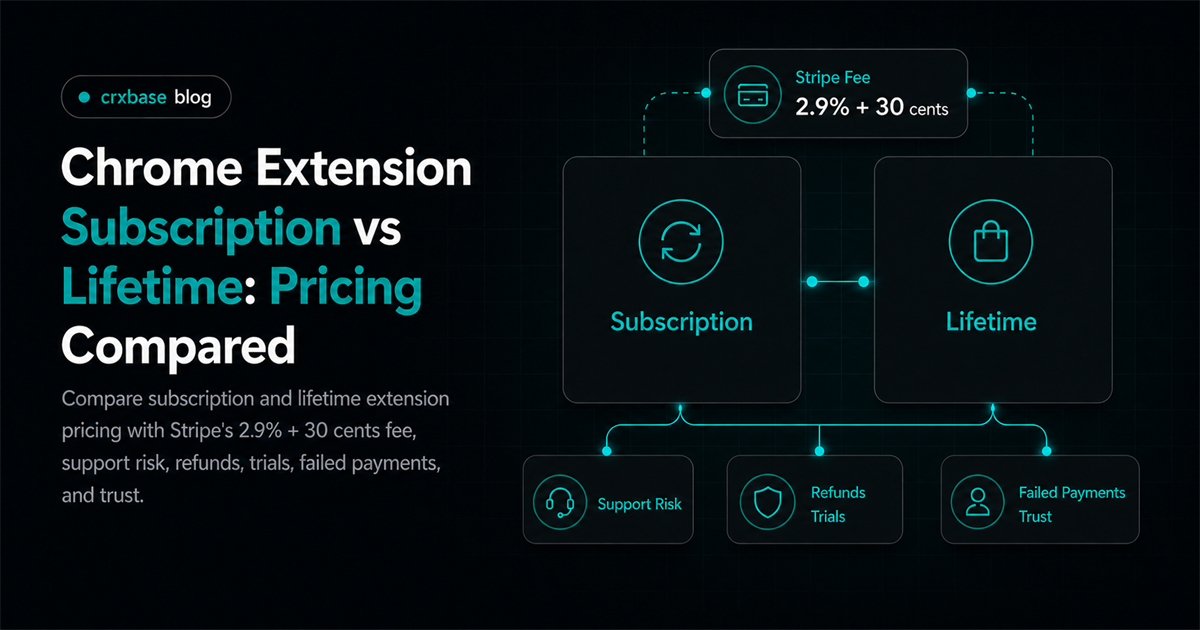
Chrome extension developers often compare subscriptions and lifetime deals after they have already promised support, picked a payment tool, and trained buyers to expect updates. The better question is simpler. Which pricing promise matches the real cost of maintaining the extension?
For the broader revenue map, start with Chrome extension monetization, then use this comparison to choose the right promise.
TL;DR
- Subscriptions fit ongoing value, support, servers, and refunds.
- Lifetime deals fit simple utilities and launch cash.
- Stripe lists 2.9% + 30 cents for domestic cards.
- Buyer trust depends on clear feature promises.
Quick Comparison: Chrome Extension Subscription vs Lifetime
Stripe lists domestic card pricing at 2.9% + 30 cents per successful transaction (Stripe). That fee can apply to monthly plans and one-time lifetime licenses, so the real difference is revenue timing, support obligations, and how access changes after payment.
| Category | Subscription | Lifetime Deal | Better Fit |
|---|---|---|---|
| Cash flow | Smaller recurring payments | Larger payment upfront | Depends on runway |
| Support burden | Funded by ongoing revenue | Funded once, supported later | Subscription |
| Buyer trust | Lower upfront risk | Strong value signal | Depends on audience |
| Refund pressure | Often lower ticket size | Higher expectations after purchase | Subscription |
| Failed payments | Needs dunning and grace periods | No recurring failure path | Lifetime |
| Feature promises | Easier to map to updates | Risky if "future features" is vague | Subscription |
| Simple utility | Can feel heavier than needed | Clean and easy to understand | Lifetime |
| Server-backed product | Recovers ongoing cost | Can underprice future usage | Subscription |
A useful way to frame the paid extension business model is not "recurring versus one-time." It is "renewable promise versus prepaid promise." A subscription asks users to fund continued usefulness. A lifetime deal asks the developer to carry future uncertainty with money collected today.
For pricing ranges and packaging, see the Chrome extension pricing guide. If you are still choosing between ads, affiliate revenue, licensing, and paid access, compare the main browser extension monetization models first.
Which Model Handles Support Burden Better?
Subscriptions usually handle support burden better because support cost repeats, and recurring revenue repeats with it.
Subscriptions create a natural maintenance budget. If a browser API changes, a website updates its DOM, or review rules require rework, paying customers are still contributing. That does not make support effortless. It does make the obligation easier to fund.
Lifetime deals can be excellent when the product is local, stable, and cheap to maintain. Think clipboard tools, small UI helpers, or extensions with limited external dependencies. If the extension scrapes changing sites, syncs data, calls AI APIs, or stores user content, lifetime pricing can turn happy buyers into an unfunded backlog.
Here is a simple modeled example, not a market statistic:
| Example Assumption | Subscription | Lifetime |
|---|---|---|
| Price | $6 per month | $99 once |
| Users sold in month 1 | 100 | 100 |
| Gross month 1 revenue | $600 | $9,900 |
| Gross revenue after 24 paid months if all stay | $14,400 | $9,900 |
| Support obligation after month 24 | Revenue may continue | Already prepaid |
The example is intentionally clean. Real products have churn, refunds, failed cards, discounts, taxes, and support spikes. Still, the trade-off is clear. Lifetime wins cash timing. Subscription wins cost matching.
Verdict: subscriptions win support burden when the extension needs updates, servers, or hands-on help. Lifetime wins only when the product can stay valuable with little ongoing labor.
Which Model Builds More Buyer Trust?
Subscriptions can feel safer because the first payment is smaller. A user can test the extension, judge the value, and cancel if it stops helping. That works when the extension solves a recurring workflow: research, automation, reporting, writing, QA, lead capture, or team productivity.
Lifetime deals build trust differently. They say, "Pay once and stop thinking about billing." That appeals to buyers who dislike subscriptions. But the phrase "lifetime" can become slippery. Whose lifetime? The user's account, the extension's current major version, or the company's existence?
In our experience, lifetime pricing needs a narrower promise than subscription pricing. Good lifetime copy says what is included: current features, bug fixes, and minor updates. Risky copy promises every future feature forever, then leaves no clean way to fund expensive new work.
Verdict: subscriptions win trust for evolving products. Lifetime wins trust for narrow, stable tools when the promise is written tightly.
Which Model Handles Refunds And Failed Payments Better?
Stripe lists a $15 dispute received fee for card disputes in the United States (Stripe). Subscriptions handle refunds more gradually because each charge is smaller, but they introduce failed payment handling that lifetime deals usually avoid.
For subscriptions, failed payments are part of the product experience. A card expires. A bank declines a charge. A user misses an email. Your extension should not suddenly feel broken. A grace period and predictable downgrade path protect trust.
Stripe Billing includes automatic reminders and Smart Retries, while Paddle says revenue recovery is included in its pricing package (Stripe, 2026; Paddle). Dunning is not glamorous, but it shapes the subscription experience.
Lifetime deals skip recurring card failures. That is a real advantage. The trade-off is refund sensitivity. A $149 lifetime purchase creates a higher expectation than a $9 monthly plan. If onboarding is weak, lifetime customers may ask for refunds quickly.
Use a refund policy that fits the buying moment. A short test window can make sense, but do not copy another product blindly. Match the policy to how fast a reasonable user can test the extension. For trial strategy, see Chrome extension free trial options.
Verdict: lifetime wins payment simplicity after purchase. Subscriptions win refund flexibility, but only if failed payment handling is designed as part of the extension.
Which Model Fits Extension Subscription Pricing Tools?
The cheapest processor on a pricing page is not always the cheapest operating model. If a developer saves on fees but spends hours reconciling taxes, disputes, and license state, the low fee may be a distraction.
| Tool | Public 2026 Price Signal | Strong Fit | Watch Out |
|---|---|---|---|
| crxbase | 5% transaction fee, no monthly fee, hosted payment pages | Extension-only paid access | Runs through crxbase license flow |
| Stripe Checkout + Billing | 2.9% + 30 cents for domestic cards, plus 0.7% Billing volume | Web app plus extension | More integration ownership |
| Paddle | 5% + 50 cents per Checkout transaction, with tax, fraud, billing, and recovery included | Global digital sales | Higher visible transaction fee |
Verdict: subscriptions need stronger billing operations. Lifetime deals need stronger license clarity. Pick the tool that reduces the operational risk you actually have.
When Should You Use A Lifetime Deal Browser Extension Offer?
A lifetime deal browser extension offer works best when the product has high upfront value and low future cost.
Use lifetime pricing when the extension is close to finished. The feature set should be easy to explain in one sentence. The paid benefit should be visible within minutes. Support should not spike every time a third-party site or API vendor changes.
Lifetime can also work as a temporary launch offer. You can cap seats, cap dates, or sell lifetime access only to the current major version. That gives early buyers urgency without forcing every future customer into the same economics.
Be careful with "unlimited." Unlimited usage can collide with AI calls, storage, proxy bandwidth, scraping, or sync infrastructure. If a lifetime tier includes server-backed features, define fair use in plain language.
Verdict: lifetime deals are strongest as a bounded offer for stable products. They are weakest when the developer has open-ended support, usage, or infrastructure promises.
Frequently Asked Questions
Are subscriptions better than lifetime deals for Chrome extensions?
Subscriptions are usually better when the extension has ongoing costs.
Can I sell both subscription and lifetime access?
Yes, but make sure to define exactly what future updates and support are included in the lifetime tier.
What is a safe lifetime promise?
A safe lifetime promise names the covered feature set. "Current features plus bug fixes" is safer than "all future features forever."
How should I model extension subscription pricing?
Start with cost matching. Then model support, server cost, refunds, and minimum viable users.
Verdict
| Decision Area | Winner |
|---|---|
| Ongoing support | Subscription |
| Launch cash | Lifetime |
| Failed payment simplicity | Lifetime |
| Refund flexibility | Subscription |
| Evolving feature roadmap | Subscription |
| Stable local utility | Lifetime |
| Overall default | Subscription, with bounded lifetime offers when appropriate |
Subscriptions are the safer default for an active Chrome extension because revenue and obligations renew together. Lifetime deals still have a place, especially for simple tools and launch campaigns, but they need precise limits.
For the wider decision tree, compare this against Chrome extension monetization, the detailed pricing guide for Chrome extensions, and the practical role of a Chrome extension free trial.
Ship Either Model With crxbase
crxbase supports both recurring subscriptions and one-time purchases for browser extensions, so you can implement the model that fits your product without treating entitlement checks as an afterthought.