 crxbase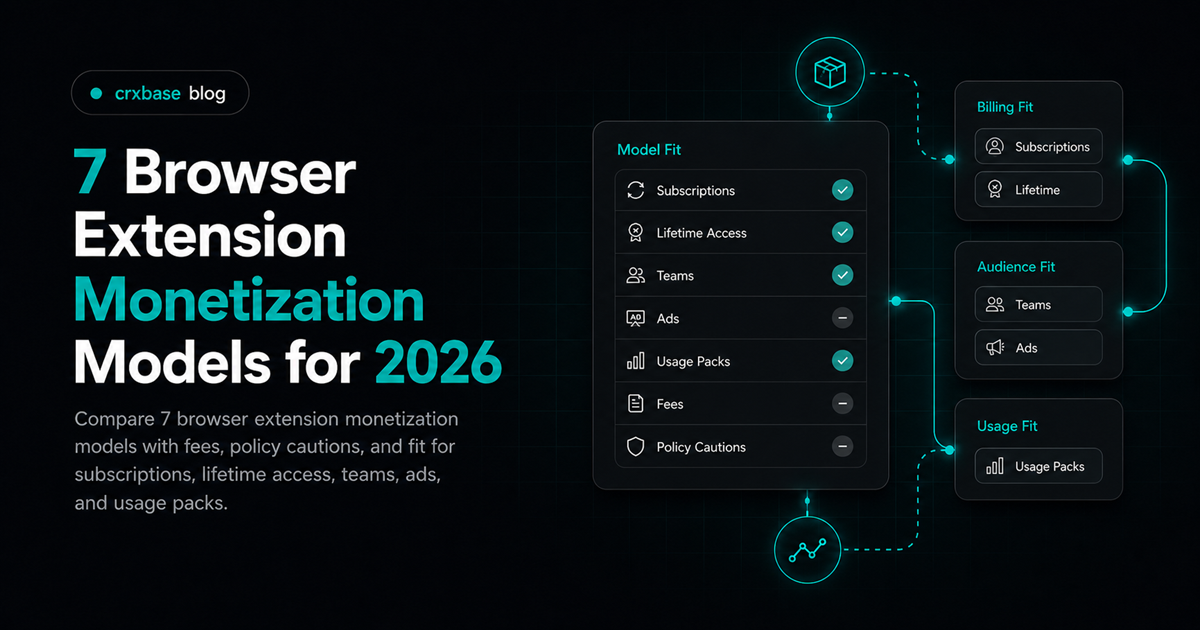
This list compares seven browser extension monetization models by fit, billing complexity, policy risk, and user expectation. For the broader setup path, start with the Chrome extension monetization guide, then use this post to choose the model.
TL;DR
- Subscriptions fit recurring value, while lifetime access fits stable utilities.
- Ads and affiliate models need the strictest policy review.
- Payment fees change unit economics before support, refunds, and tax.
How Should You Compare Browser Extension Monetization Models?
Choose the model that matches the value rhythm. Does the extension save time every week, unlock a specialized workflow once, or meter an external cost such as AI calls? A recurring product can ask for recurring payment, while a narrow utility may feel better as a lifetime purchase.
The second filter is trust. Browser extensions run close to a user's browsing context, so surprise monetization feels worse than it does on a normal web app. Google also reviews listing text, payments, ads, and landing pages, so clear disclosure belongs inside the model.
One compact way to compare extension monetization models is this: freemium earns trust, subscriptions fund ongoing work, lifetime sales reduce buyer friction, trials test willingness to pay, usage packs track variable costs, team licenses match business buying, and ads or affiliate deals should be treated as high-risk edge cases.
1. Freemium - Best for Broad Adoption
In 2020, Google reported more than 250,000 Chrome Web Store extensions and themes (Google). Freemium works because users can verify usefulness before paying, which matters in a crowded store where alternatives are one search away.
Freemium is strongest when the free tier is genuinely useful but naturally incomplete. Good upgrade boundaries include saved workflows, higher limits, sync, exports, collaboration, or advanced automation. Put paywalls around costly or advanced work, not around basic understanding. For pricing mechanics after choosing this path, use the Chrome extension pricing guide.
Freemium is usually the first model to test when the extension has consumer reach, a visible upgrade path, and low marginal cost per free user.
2. Subscription - Best for Ongoing Value
Subscriptions fit extensions that keep delivering value after installation, especially when maintenance, sync, data, or external services are part of the product.
Subscription pricing is clearest when the user can explain the recurring benefit in one sentence. Examples include weekly research time saved, recurring automation, alerts, shared team data, or ongoing AI-assisted work. For renewal tradeoffs, read subscription vs lifetime pricing for Chrome extensions.
3. Lifetime or One-Time - Best for Stable Utilities
Lifetime access works best for stable utilities with limited server costs. Think formatters, clipboard helpers, visual tweaks, local productivity tools, and narrow professional add-ons. The tradeoff is future funding because one-time payment asks you to support old users while finding new ones.
Use lifetime pricing when the product is durable, low-cost to operate, and easy to explain. Choose subscriptions when ongoing data, cloud, or support obligations are central.
4. Free Trial to Paid - Best for Premium Features That Need Proof
A trial helps when the extension's value appears only after real use. Grammar tools, workflow automations, research assistants, and browser-based business utilities often need a few sessions before the user trusts the result. Say what converts, when billing starts, how cancellation works, and which features are included.
Trials are not a fix for vague value. Pair them with onboarding that gets to one useful outcome fast.
5. Credits or Usage Packs - Best for Variable Costs
Credits can be a clean fit for AI lookups, data enrichment, permission-based scraping jobs, exports, or document processing. The model is simple when one action maps to one visible unit. It gets confusing when credits expire, costs vary by hidden backend logic, or users cannot estimate what they need.
Usage packs are future-status in this context: treat them as a model to plan for, not a feature claim. If you do ship credits, show balance, cost per action, refund rules, and what happens when a job fails.
This model pairs well with freemium or subscriptions when a monthly allowance covers normal use and extra packs cover heavier work.
6. Teams and Business Licenses - Best for Workflows Shared at Work
Team licenses are less about charging more and more about matching how companies buy. A manager may need a receipt, a security review, a tax-compliant invoice, and a way to add or remove seats. This model fits sales tools, support workflows, QA helpers, research systems, and compliance utilities.
Start simple. Offer a small team plan only when users ask for shared access or invoices.
7. Ads, Affiliate, or Sponsorship - Best Treated With Caution
Google's Chrome Web Store policies list eight ad requirements and three affiliate examples that can violate them (Google). Ads and affiliate monetization can work, but they carry higher trust and review risk.
The problem is proximity. An extension can sit on top of pages the user did not ask you to monetize. Avoid background affiliate injection, surprise coupon replacement, misleading sponsored placements, or anything that changes a page for reasons unrelated to the extension's core purpose.
If you are weighing ads against direct payment, compare the policy and trust costs in extension ads vs subscriptions. Many utility extensions are cleaner with paid access than with attention-based monetization.
Browser Extension Monetization Models Compared
Here is a compact comparison of the seven models, their best fit, main risk, and billing style. Use this table to match your product's value rhythm to a monetization model.
| Model | Best for | Main risk | Billing fit |
|---|---|---|---|
| Freemium | Broad adoption | Free-user support load | Free tier plus paid upgrade |
| Subscription | Recurring value | Renewal pressure | Monthly, quarterly, yearly |
| Lifetime | Stable utilities | Long-term support funding | One-time checkout |
| Trial to paid | Value that needs proof | Weak activation | Trial state plus paid plan |
| Credits or usage packs | Variable costs | Confusing unit math | Prepaid balance |
| Teams and business | Workplace buying | Admin complexity | Seats, invoices, custom terms |
| Ads, affiliate, sponsorship | Free consumer reach | Policy and trust risk | Disclosure-led partner setup |
Start with freemium if acquisition is hardest, subscription if the product keeps working for the user, lifetime if the product is stable, and usage packs if cost scales with actions. For payment infrastructure after CWS payments, see the Chrome Web Store payments replacement guide.
How We Selected These Models
This list uses 7 models because they cover the main ways a browser extension can charge, meter, or sponsor access without native Chrome Web Store payments. The ranking favors user trust first, then operational fit, then policy simplicity.
The evaluation criteria were practical. A model had to explain when users pay, what they receive, how access is verified, and where policy risk appears. Models that require hidden data use, unclear ads, or vague upgrade promises were pushed down.
No model here guarantees revenue. The best model is usually the one users can understand before they click install.
Frequently Asked Questions
What is the best browser extension monetization model overall?
Freemium is the safest starting point for many browser extension monetization models because, in 2020, Google reported more than 250,000 extensions and themes (Google). In a crowded store, users often need proof before payment.
Can Chrome extensions still use Chrome Web Store payments?
No. In 2021, Google said existing Chrome Web Store payment items could no longer charge money after February 1 (Google). New paid items had already been stopped permanently on September 21, 2020.
Is a subscription better than a lifetime purchase?
It depends on value frequency. crxbase supports monthly, yearly, and one-time payments. That range is useful because recurring tools and stable utilities usually need different buyer promises.
Are ads or affiliate links allowed in extensions?
They can be, but caution is warranted. Google lists 8 ad requirements in its Chrome Web Store Program Policies (Google). Disclosure, attribution, removability, and user benefit matter more than short-term monetization.
Which payment fee matters most for low-priced extensions?
The fixed fee matters quickly. Low-ticket plans should model fees before launch.
Conclusion
In 2020, Google reported 4 million daily extension downloads, which shows how large and competitive the market already was (Google). The best Chrome extension revenue models are easy to understand before install and easy to justify after use.
Pick freemium for trust, subscription for recurring value, lifetime for stable tools, trials for proof, credits for variable costs, teams for business buying, and ads only when the policy path is clean. Then connect that decision to pricing, checkout, and license recovery before users pay.
Turn Your Model Into a Payment Flow
Once you have chosen subscriptions, one-time access, or a trial, crxbase supports the extension-specific payment and entitlement layer. It connects a clear offer to paid access without requiring you to build that billing infrastructure from scratch.