 crxbase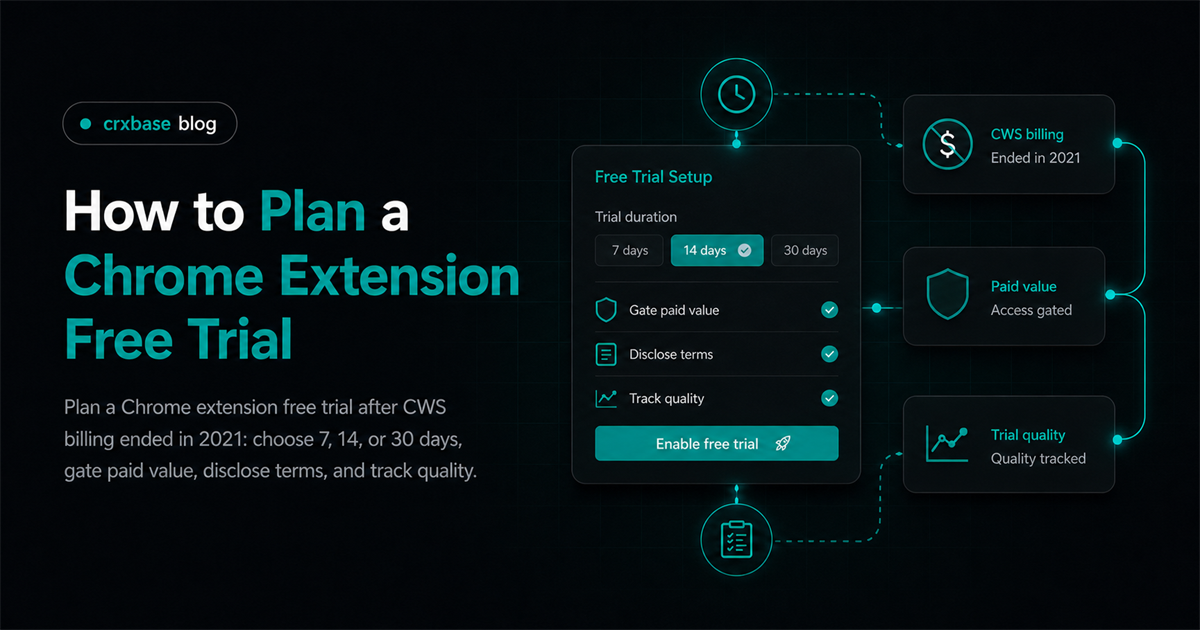
Google disabled Chrome Web Store free trials on December 1, 2020, then stopped Chrome Web Store payments from charging users on February 1, 2021 (Google). A Chrome extension free trial now needs your own subscription system, your own access logic, and clearer user messaging than the old store-hosted "Try Now" flow required.
That sounds like more work. It also gives you more control. You can decide which features prove value, when the upgrade prompt appears, and how users cancel before they feel trapped. For a broader revenue model, start with the Chrome extension monetization guide, then use this guide to design the trial itself.
TL;DR
- In 2021, Chrome Web Store payments stopped charging users, so trials now need external billing.
- A strong paid extension trial strategy gates outcomes, not every button.
- Track activation quality, upgrade intent, support load, and cancellation reasons instead of chasing generic conversion stats.
This guide draws on Google's payment deprecation guide, Chrome Web Store policies, Stripe subscriptions, Stripe products and prices, Stripe trials, Stripe's customer portal, crxbase trial settings, and crxbase types.
Why Do Chrome Extension Trials Need a Different Plan Now?
Chrome can still distribute your extension, but it no longer owns your trial state. Your extension needs to know who is trialing, who is paid, who canceled, and who should see the upgrade path. That state must come from your payment provider or a service built for extension billing.
The best browser extension free trial is not a miniature pricing page. It is a product promise with a timer. Ask one question before you configure anything: "What must a user experience before paying would feel reasonable?" If the answer is "everything," your trial probably lacks a paid feature boundary.
For developers comparing revenue models, the trial question usually sits between ads and recurring subscriptions. The tradeoffs in extension ads vs subscriptions can help you decide whether a trial should exist at all.
Chrome extension trials became external billing workflows after Google's payments shutdown. In 2020, Google disabled Chrome Web Store free trials, and in 2021 it stopped CWS payment charging. That means trial eligibility, paid access, cancellation, and upgrade messaging now belong in the extension's own billing architecture.
Step 1: Choose a Trial Length That Matches Usage Frequency
crxbase supports three dashboard trial durations for recurring tiers: 7, 14, and 30 days. Pick the shortest duration that lets a user complete one real success cycle, then make the extension remind them what they accomplished.
Use 7 days when the product is used daily. Writing assistants, tab managers, screenshot tools, AI sidebar tools, and inbox helpers usually show value quickly. A week is enough time for a user to feel the extension saving effort, but short enough that the upgrade decision stays fresh.
Use 14 days when the product depends on a weekly rhythm. Research tools, prospecting helpers, analytics overlays, and workflow automations may need several work sessions. The second week gives users enough time to return after an interrupted first session. Does the user need a weekday and weekend pattern? Choose 14 days.
Use 30 days only when the extension proves value over a complete cycle. Reporting tools, sales workflow tools, creator publishing tools, and team utilities may need a month. Pair a long trial with stronger onboarding and in-product progress cues.
When we review extension pricing flows, the trial length problem is rarely math. It is usually unclear activation. A 30-day trial will not fix a product that never tells users what to try first. A 7-day trial can work well when the first session has a concrete win.
Step 2: Gate Paid Value Without Hiding the Product
A fair subscription trial extension usually gives full paid access during the trial. That lets users test the real product, not a weakened demo. In crxbase, a trialing user can return paid: true, which allows the extension to unlock paid features while the trial is current.
The feature boundary should be easy to explain in one sentence. "Free users can save 3 snippets, trial users can use unlimited snippets for 14 days, and subscribers keep unlimited access." That is clearer than sprinkling locked states across the interface.
Try this gating model:
| Area | Free user | Trial user | Paid user |
|---|---|---|---|
| Core feature | Limited but useful | Full access | Full access |
| Saved data | Small limit | Normal limit | Normal limit |
| Automation | Preview or manual run | Full access | Full access |
| Support | Docs and email | Docs and email | Priority or standard paid support |
For more pricing structure help, compare the trial path against subscription vs lifetime access. Lifetime pricing may need a different proof moment than recurring billing.
Step 3: Build Onboarding Around One Trial Moment
The first screen after trial start should do one job. It should point the user to the action most likely to create value before the timer matters. If your extension enhances a page, open the right page. If it processes user data, show the import state. If it automates a task, run a guided sample.
Use onboarding copy that answers the user's hidden concern: "What do I do before this trial expires?" Keep it specific. "Pin the extension, open Gmail, and summarize 3 threads" beats "Explore premium features." Users do not pay because a trial existed. They pay because the trial created proof.
A practical trial onboarding flow looks like this:
- Confirm trial length and end date.
- Show the paid features now unlocked.
- Ask for one setup action.
- Trigger the first value event.
- Show remaining trial time only after value appears.
If the trial starts before setup is possible, delay the upgrade prompt. The early moments should feel generous. Later prompts can become more direct once the user has actually used the premium workflow.
Step 4: Make Upgrade, Cancellation, and Switching Boringly Clear
crxbase exposes openManagePage() for the Stripe Portal and openPricingPage() for plan selection. Put a manage link inside your extension settings, not only on a website. The user should not need to search their inbox to cancel, upgrade, or add a payment method.
For upgrades, tell the user exactly what changes. In crxbase, switching a trialing user to another plan ends the current trial and starts paid checkout for the target plan. Say that before the button. The warning should be plain, not legal fog.
For cancellation, design the state after canceling. Can the user export data? Can they keep free limits? Do premium automations stop at the end of the period or immediately? Document the answer in your UI and terms. The smoother the exit, the easier the initial trial feels.
For failed payments, avoid surprise locks. Stripe and crxbase can represent states such as past_due, canceled, unpaid, and paused. Map those states to human text: "Update your payment method to keep Pro access" is better than exposing billing jargon.
Stripe's customer portal supports subscription management and cancellation, but it also notes that customer changes to a trialing subscription end the trial and create an invoice for immediate payment. Extension trial flows should warn users before switching plans and keep manage links available in-product.
Step 5: Disclose Trial Terms Before the User Installs or Starts
Your Chrome Web Store listing should say when payment is required for basic functionality. If the extension is useful only during a trial or paid plan, say that near the top of the description. Do not make users install before learning the product is paid.
Your in-product trial screen should show:
- Trial length and end date.
- Whether a payment method is required.
- What happens when the trial ends.
- How to cancel or manage billing.
- Which features are paid.
- Where refund and support terms live.
Privacy still matters. Google policies require clear disclosure when user data is collected, used, or shared. Billing data, account email, extension usage events, and support messages may all need disclosure. Keep the trial analytics lean and connected to the extension's single purpose.
Need a simple rule? If a reasonable user would ask, "Will I be charged?" or "What data do you need for this?", answer before the trial starts. A trial that depends on ambiguity may win clicks, but it will lose trust.
Step 6: Track Trial Quality, Not Just Trial Count
crxbase exposes two trial fields that matter for in-extension state: trial_available and trial_end. Those fields can power useful prompts, but your business review should stay qualitative until you have your own data.
Avoid generic conversion benchmarks. Extension categories vary too much. A developer tool, coupon tool, writing assistant, and B2B workflow extension do not share the same buying motion. Instead, track evidence that explains why a user did or did not upgrade.
Use these qualitative metrics:
| Signal | What to look for | Useful question |
|---|---|---|
| Activation notes | First paid feature used | Did the user reach value before seeing upgrade copy? |
| Trial depth | Repeat use across days | Did the workflow become a habit? |
| Upgrade intent | Pricing page opens, checkout starts | Did the prompt match the moment? |
| Support load | Confusion about access or billing | Which copy caused avoidable tickets? |
| Cancellation reasons | User feedback and portal reasons | Was the price, feature fit, or trust issue the blocker? |
The most useful free trial metric is often a sentence, not a number. Ask canceling users one optional question: "What did you expect this extension to do that it did not do?" That answer can improve gating, onboarding, listing copy, and roadmap priority.
For acquisition planning after the trial is live, use the guide to getting paying users for a Chrome extension to connect onboarding proof with distribution channels.
Chrome Extension Free Trial Checklist
Whether you use crxbase, Stripe directly, or another provider, use this checklist before launch so the trial is testable.
- Pick 7, 14, or 30 days based on the user's real work cycle.
- Confirm the trial applies only to recurring subscription plans.
- Define one paid outcome the trial must prove.
- Keep a useful free state if your listing promises free functionality.
- Show trial length, end date, renewal behavior, and cancellation path.
- Place a billing manage link inside the extension settings.
- Warn users before switching plans ends a trial.
- Track activation notes, upgrade intent, support load, and cancellation reasons.
- Test
trialing,active,past_due,canceled, and unpaid states. - Review Chrome Web Store policy disclosures before publishing.
Frequently Asked Questions
How long should a Chrome extension free trial be?
crxbase supports three dashboard trial durations: 7, 14, and 30 days. Use 7 days for daily tools, 14 days for weekly workflows, and 30 days when the extension needs a complete reporting, sales, or publishing cycle.
Should a browser extension free trial require a card?
No-card trials can feel easier to start, but they need stronger abuse controls and clearer expiration copy than card-upfront trials.
Can lifetime plans include a subscription trial?
In crxbase, trial duration applies to recurring prices, not one-time lifetime prices. Use a limited free tier, demo mode, sample data, or refund policy when lifetime access is the main purchase path.
What should happen when a trial user upgrades?
A clean approach that crxbase uses is to end the trial and start paid checkout for the new plan. Warn users before switching plans so they understand the change.
What policy disclosures matter most?
Google's Chrome Web Store policies require paid extensions to disclose payment-dependent basic functionality, terms of sale, and secure payment handling. Put those details in the store listing, trial screen, pricing page, and billing manage path.
Put Your Trial Into Production
crxbase supports 7-day, 14-day, and 30-day trials for recurring extension plans, together with hosted payment pages and in-extension access checks. Use it when you want the trial experience described here to connect cleanly to the rest of your billing flow.