 crxbase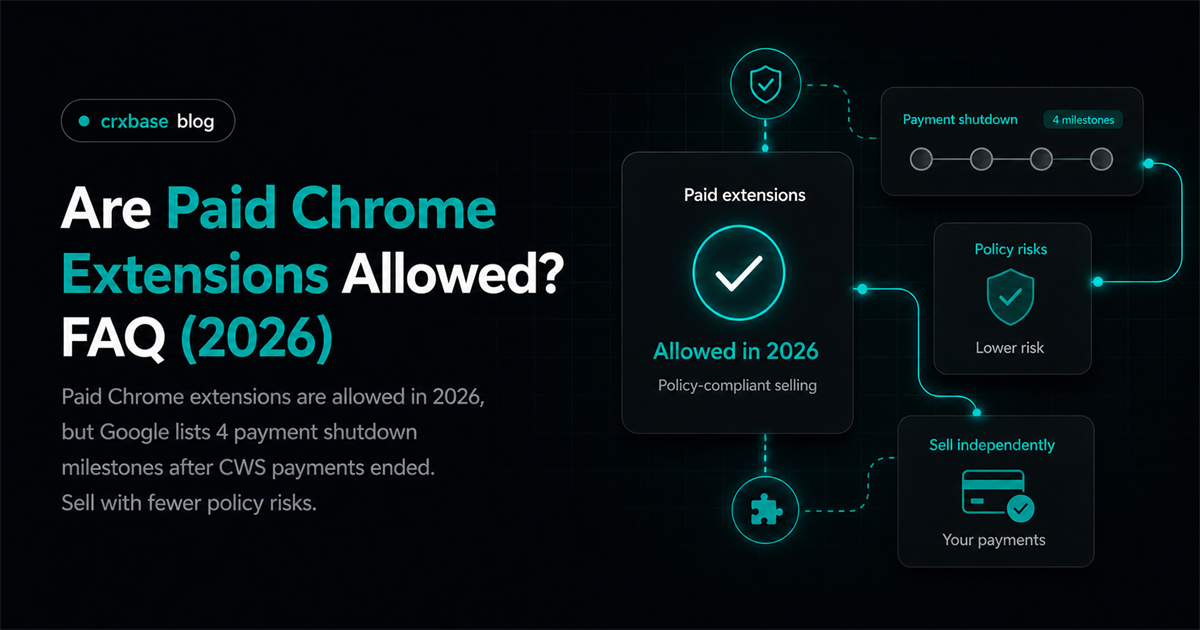
Yes, paid Chrome extensions are allowed, but the old Chrome Web Store payment rail is not the way to sell them. If you charge for an extension, the practical question is no longer "Can I make money?" It is "Can a reviewer and a user understand who is selling, what is paid, what data is handled, and how access is controlled?"
For the broader revenue model, start with the Chrome extension monetization guide. This FAQ focuses on the policy and payment legality layer. It is practical publishing guidance, not legal advice. For tax, consumer protection, privacy, and payment compliance questions, get advice from a qualified professional in your jurisdiction.
TL;DR
- Paid Chrome extensions are allowed, but Chrome Web Store payments ended after 4 public milestones.
- External checkout means you own licensing, refunds, support, and disclosure.
- Paid features should be clear before install and inside the product.
The policy details below come from Google's payment deprecation guide, Chrome Web Store policies, and Manifest V3 guidance. Payment-fee examples use Stripe pricing.
Are Paid Chrome Extensions Allowed In 2026?
Google ended the creation of new paid extensions and in-app items through Chrome Web Store payments on September 21, 2020. Paid extensions are still possible, but the sale now needs a separate payment and license setup.
The safe reading is simple: Google deprecated its own payment system, not every paid business model. A developer can sell access on a website, through a subscription app, or with a checkout provider. The extension still has to satisfy Chrome Web Store policies, especially around honest marketing, user data, payment information, and support.
The cleanest paid-extension pattern is to make the store listing honest even when the purchase happens elsewhere. Say which features are free, which features are paid, and where account management happens. If a user installs first and only learns later that the core function is locked, that creates review and trust risk.
According to Google Chrome for Developers, Chrome Web Store payments deprecation, the old payment shutdown timeline included 4 dated milestones from March 27, 2020 through February 1, 2021. For paid Chrome extension founders, that timeline is the policy clue: sell through your own stack, then prove entitlement in your own stack.
What Chrome Web Store Paid Extension Rules Changed?
Google's payment deprecation guide names four shutdown milestones for the legacy path, including the permanent block on new paid items and the end of charges through Chrome Web Store payments. The rule change moved payment responsibility away from Google and onto developers.
Before deprecation, some extensions used Chrome Web Store payments for one-time purchases, in-app products, subscriptions, and license checks. That convenience is gone for new paid setup. If you are planning a paid launch now, read our Chrome Web Store payments replacement guide before you wire checkout into the product.
The business impact is larger than a button swap. You need checkout, receipts, tax settings, refund workflows, subscription lifecycle handling, access revocation, and a support path. You also need a way for reviewers to test paid behavior without guessing. Google has a separate test instructions tab for restricted or paid account access.
When we review extension launches, the common failure is not that the team wants to charge. It is that the free listing, paid website, and installed extension describe the product differently. Align those three surfaces first. Reviewers and users should see the same promise in the same plain language.
Which Payment Disclosures Does Google Expect?
Google's Chrome Web Store policies list four privacy-disclosure requirements for user data: how it is collected, how it is used, how it is shared, and which parties receive it. A paid extension should apply that same plain-language standard to payment access and account behavior.
Your payment disclosure should answer five questions before the user pays. What does the free install include? What costs money? Is the charge one-time or recurring? Who is the seller of record? Where can the user cancel, request a refund, or contact support? If the extension gates core functionality, say that directly.
Google Chrome Web Store Program Policies also say developers must keep extension information and dashboard metadata accurate. That matters for payment promises. Do not call a feature free in the listing if it requires a subscription after install. Do not imply official Google approval, special ranking status, or browser endorsement.
According to Google Chrome Web Store Program Policies, payment flows that collect sensitive personal information for sales have 1 explicit secure handling duty: credit card and other sensitive personal information must be collected, stored, and transmitted securely under privacy, security, and payment card rules. In plain terms, use a real processor and avoid touching raw card data.
For a launch-oriented version of this review, keep a working paid extension checklist beside your listing copy, checkout copy, and onboarding screens.
Can You Use Third Party Payments In A Chrome Extension?
Stripe lists 2.9% plus 30 cents per successful domestic card transaction for standard United States card payments. Third-party payments are a normal replacement path, but the processor choice does not remove Chrome Web Store policy duties or your own legal duties.
You can link users to a website checkout, open an account page, or ask them to sign in after purchase. The safer product shape is to keep card entry on the processor-hosted page, then return the user to the extension after payment. This reduces payment data exposure and makes cancellation, receipts, and dispute handling easier to document.
Do not run remote payment code inside the extension package. Google Chrome for Developers, Extensions Manifest V3, says Manifest V3 removes remotely hosted code and requires extension JavaScript to be included in the package for Chrome Web Store review. Your checkout can be external, but extension logic still needs to follow MV3 packaging rules.
What License Tracking Replaces Chrome Web Store Payments?
Google's payment deprecation guide names three affected API or helper areas: Chrome Web Store API purchase resources, the licensing API, and buy.js helper methods. If your paid model depends on access control, you need your own license record.
A practical entitlement system has a few parts. Store the user identity, plan, payment provider customer ID, subscription state, current period, cancellation state, and refund status. Then let the extension query your backend for an access decision. Keep the response small. The extension only needs to know whether the user can use the feature.
Avoid storing payment secrets in the extension. Browser extension code is shipped to user machines, so secrets can leak. Put webhooks, secret keys, license decisions, and refund updates on your server. The extension can send an authenticated request, but your backend should decide access from trusted payment events.
The strongest licensing design treats "paid" as a server-side fact, not a local preference. Local cache is fine for speed, but it should expire. If a subscription fails or a refund is issued, the backend should be able to remove access without waiting for a new extension release.
How Do MV3 Rules Affect Paid Features?
Google's Manifest V3 guidance names three platform goals: privacy, security, and performance. Paid features do not get a separate technical exception, so your subscription logic still has to fit the reviewed extension package, service-worker model, and permission limits.
MV3 matters most when paid features depend on background work. Service workers run when needed, so entitlement checks should be reliable even when the background context starts fresh. Cache enough state for good UX, but refresh access from your backend at clear points such as sign-in, checkout return, feature unlock, and subscription renewal.
Permissions also matter. Google Chrome Web Store Program Policies say extensions should request the narrowest permissions needed. A paid plan does not justify broader access by itself. If a paid feature needs more permissions, explain the feature clearly in the listing, in the product UI, and in the dashboard justification fields.
According to Google Chrome for Developers, Extensions Manifest V3, extension JavaScript must be packaged and reviewed because remotely hosted code creates security risk. Paid-extension teams should separate two systems: external checkout on the web, and reviewed extension behavior inside the package.
What Should You Check Before Publishing?
Google's Chrome Web Store policies apply to the entire user experience, including marketing materials, extension UX, ads, landing pages, and user-generated content. A paid extension should be reviewed as one connected purchase experience, not just as a manifest upload.
Use this short pre-submit pass. First, read the listing as a buyer. Would you know the price and paid limits? Second, read the privacy disclosures. Would you know what data supports payment and licensing? Third, test a refund, cancellation, failed renewal, and plan downgrade. Fourth, prepare reviewer instructions for paid paths.
Then test the unhappy paths. What happens if checkout succeeds but the extension is offline? What happens if the user changes Google accounts? What happens if the webhook is delayed? A paid extension can be policy-compliant and still fail users if license state is fragile.
If trials are part of the plan, keep the language just as plain. Our Chrome extension free trial guide covers trial length, onboarding, conversion, and cancellation UX in more detail.
Frequently Asked Questions
Are paid Chrome extensions allowed?
Yes. Google Chrome for Developers, Chrome Web Store payments deprecation lists 4 dated shutdown milestones for the old store payment system, but it does not ban paid extensions. You can charge users if the listing, payment flow, data handling, and seller identity are clear.
Can Chrome extensions use third-party payments?
Yes. Stripe Pricing lists 2.9% plus 30 cents per successful domestic card transaction in the United States, and Google says affected developers should migrate to another processor. The extension must still follow Chrome Web Store policy and payment data rules.
Do I need my own license system?
Usually yes. Google Chrome for Developers, Chrome Web Store payments deprecation names 3 affected API or helper areas tied to purchases and licenses. If you sell with an external checkout, your backend should track purchases, subscriptions, refunds, plan changes, and entitlement state.
What should a paid extension disclose?
Google's Chrome Web Store policies list four privacy-policy disclosure items around collection, use, sharing, and dashboard access. A paid extension should also disclose price, renewal terms, refund path, seller contact, and what features require payment.
Related Resources
For business model planning, read the Chrome extension monetization guide. For payment migration details, use the Chrome Web Store payments replacement guide. For launch review, keep the paid extension checklist open. For trial offers, pair this policy FAQ with the Chrome extension free trial guide.
Bottom Line
Paid Chrome extensions are allowed when the product is honest, secure, and reviewable. The old Chrome Web Store payment system is gone, so the modern path is external checkout, server-side licensing, clear disclosure, accurate listing metadata, and secure data handling. Treat the payment flow as part of the extension experience, because Google and users will.
Build a Paid Extension With crxbase
When you are ready to add paid access, crxbase supports subscription and one-time-payment flows, free trials, and in-extension access checks. You still own the policy disclosures and the promise you make to buyers.