 crxbase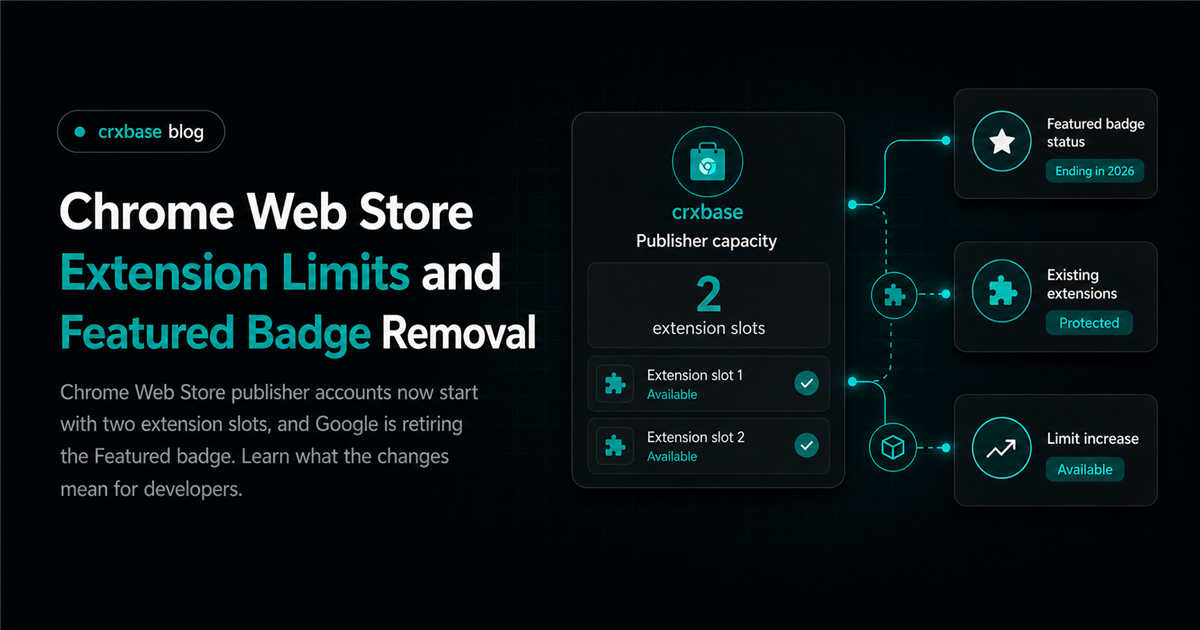
Google now limits how many extensions each Chrome Web Store publisher can publish. New accounts start with two extension slots, although Google may assign a different account-specific limit. The company is also retiring the Featured badge later in 2026 and has closed self-nominations.
If an extension also includes payments, permissions, or user-data handling, run a broader paid extension launch review before submitting it.
TL;DR
- Publisher limits now start at two extension slots and vary by account.
- Featured badge self-nominations are closed, and the program will end later in 2026.
- Existing published extensions will remain available even when an account exceeds its new limit.
- Draft installation checks, faster reviews, and more recent rating signals are also being introduced.
How the New Chrome Web Store Extension Limits Work
The default publishing limit is two extension slots per publisher account. Google may set a different limit using signals such as the quality and usage of the account's published extensions. Publishers can see their limit in the Developer Dashboard and request an increase when they need more capacity (Chrome for Developers).
Existing extensions are protected. Google says published items will remain published, and an account's limit will be at least the number of extensions it had published when the policy took effect. A publisher with five existing extensions will not lose those listings because the default for a new account is two.
The limit matters when creating another store listing, not when uploading an update to an existing extension. Teams managing several products should check their available slots before committing to a launch date. If more capacity is required, request it before the release depends on approval.
What the Featured Badge Removal Means
Google closed Featured badge self-nominations on August 20, 2026. Pending self-nominations are also being closed, and the Featured badge program will end later in the year. Developers should stop treating a badge nomination as part of their launch or growth plan.
The Established Publisher badge is separate. Google's announcement only says the Featured badge program is ending, so developers should not assume every Chrome Web Store trust signal is being removed.
Without Featured nominations, extension teams should focus on the signals they control: a clear listing, reliable releases, responsive support, and recent user satisfaction. Our guide to getting paying extension users explains how store trust can support sales without review manipulation.
Other Chrome Web Store Changes Announced
The publishing limits and Featured badge removal arrived with three additional changes:
- Install tests before review: Checks begin when a package is uploaded to a draft. They test whether the extension installs on each supported Chrome system and flag installation or file errors.
- Faster review baselines: Google says process and priority changes brought review levels back toward expected baselines after a surge in submissions.
- More current ratings: Recent reviews will carry more weight in an extension's displayed rating.
Faster baselines do not guarantee a release date. Google's review guide says new developers, risky permissions, large code changes, broad host access, and hard-to-review code can require closer examination.
What Should Extension Developers Do Now?
Make four changes to your release checklist:
- Audit your available slots. Check the publisher limit before creating another listing. Request more capacity before committing to a launch date.
- Replace badge work with maintenance work. Stop planning around Featured self-nomination. Improve onboarding, reliability, support, and recent user sentiment instead.
- Upload the draft early. Run the installation checks before the planned submission date and fix every reported packaging or validity error.
- Keep review scope small. Remove unused permissions and avoid unrelated code changes. Google's program policies apply to the extension, listing, landing pages, ads, and the rest of the user experience.
Do not cancel and resubmit only because another extension was approved first. Review depth varies by submission. Cancel only when a newer package matters more than the current submission's progress.
For products with paid features, pair this workflow with a clear Chrome extension monetization plan so reviewers and users can understand the payment boundary.
The Bigger Picture
Google is making publisher capacity part of its quality controls while retiring a manually awarded discovery signal. The two-slot default makes extension portfolio decisions more important, and the end of Featured shifts growth work back toward product quality, support, and current user feedback.
The result should be a more predictable store, but developers still own release discipline. Keep buffer time, submit focused changes, monitor recent feedback, and maintain fewer extensions well before asking for more slots.
Frequently Asked Questions
Will existing extensions be removed by the new limit?
No. Google says published extensions will remain published. Each account's new limit will be at least the number of extensions it had published when the change took effect.
Is every publisher limited to two extensions?
No. Two slots are the default. Google assigns limits per publisher using factors such as extension quality and usage, and publishers can request an increase through the Developer Dashboard.
When will the Chrome Web Store Featured badge disappear?
Google says the Featured badge program will end later in 2026. Self-nominations closed on August 20, 2026, and pending self-nominations are being closed.